Trust & transparency
Evidence & disclosures
Evidence basis: Hands-on test. Colin personally used the product, process, aircraft, software, or location described.
Based on my direct ChatGPT Live and Codex workflow experience plus OpenAI voice and realtime documentation; availability and behavior can change.
Sources checked: Aug 20, 2026
Linked references: 2 explicit sources in the article.
TLDR
- ChatGPT Live is the version of ChatGPT Voice that feels closest to a real back-and-forth conversation.
- The big beginner benefit is not the technology itself. It is that you can talk through an idea before you know how to write the perfect prompt.
- It is still not magic. It can misunderstand you, interrupt at odd moments, and get facts wrong, especially with current dates or specific details.
- My favorite use so far is simple: brainstorm by voice, turn the conversation into a structured Codex prompt, then let Codex build the actual blog package.
- If you are new to AI, try one low-pressure five-minute conversation before worrying about workflows, settings, or fancy prompt engineering.
If you have been curious about AI but were not sure where to begin, this might be the perfect time to jump in.
I have been using ChatGPT for quite a while, and I am obviously not allergic to trying new tools. My computer has seen things. But ChatGPT Live is one of the first AI features in a while that made me stop and think, "Okay, this is the version I would actually show someone who is nervous about all of this."
Not because it is perfect.
It is not.
But because it changes the feeling of the interaction. Instead of sitting there trying to write the perfect prompt like you are filling out a form at the DMV, you can just start talking. You can ramble a little. You can interrupt. You can say, "No, that is not what I meant." You can ask it to slow down, explain something differently, or help you organize a thought that is still only half-baked.
For beginners, that is a big deal.
Don't want to read? Listen and Watch on YouTube
What I Mean By ChatGPT Live
OpenAI currently describes ChatGPT Voice as a way to speak with ChatGPT and hear a spoken response. Inside that, the newer Live option is meant for more natural conversation. According to OpenAI's Help Center as of July 9, 2026, Live can listen and speak at the same time, which makes interruptions and turn-taking feel more natural than the older turn-by-turn voice experience.
That sounds technical, but the everyday version is simple:
You can talk to ChatGPT more like you would talk to a person.
You do not have to stop, type, wait, read, type again, and then realize you forgot the actual thing you were trying to say. You can speak in a more natural flow.
There are still limits. Availability can depend on your plan, region, workspace, and app version. Live is also not the same thing as Codex, and OpenAI's Help Center says it is not initially available inside Codex, Work, or custom GPTs. That matters for the workflow I am building, because my plan is not "do everything in one magical window."
My plan is more practical: use ChatGPT Live to think out loud, then use Codex to build the finished package.
Why It Feels Different
The biggest difference is that voice lowers the pressure.
When people talk about AI, they usually talk about prompts. Better prompts. Longer prompts. Prompt libraries. Secret prompt formulas. Prompts that look like someone tried to file their taxes inside a fortune cookie.
Prompts matter, but they can also make beginners feel like they are already behind.
Voice changes that. You can start with a messy sentence:
I want to write something about this new ChatGPT voice thing, but I want regular people to understand why it matters.
That is enough to begin.
From there, you can work it out in conversation. ChatGPT can ask follow-up questions. You can correct it. You can say, "Make that less technical." You can ask for examples. You can tell it the audience is your parents, your spouse, your coworkers, your clients, your readers, or anyone who hears "AI" and immediately starts looking for the nearest exit.
That is why I think this is important for regular people. The first step no longer has to be polished. It just has to be spoken.
My Real Workflow
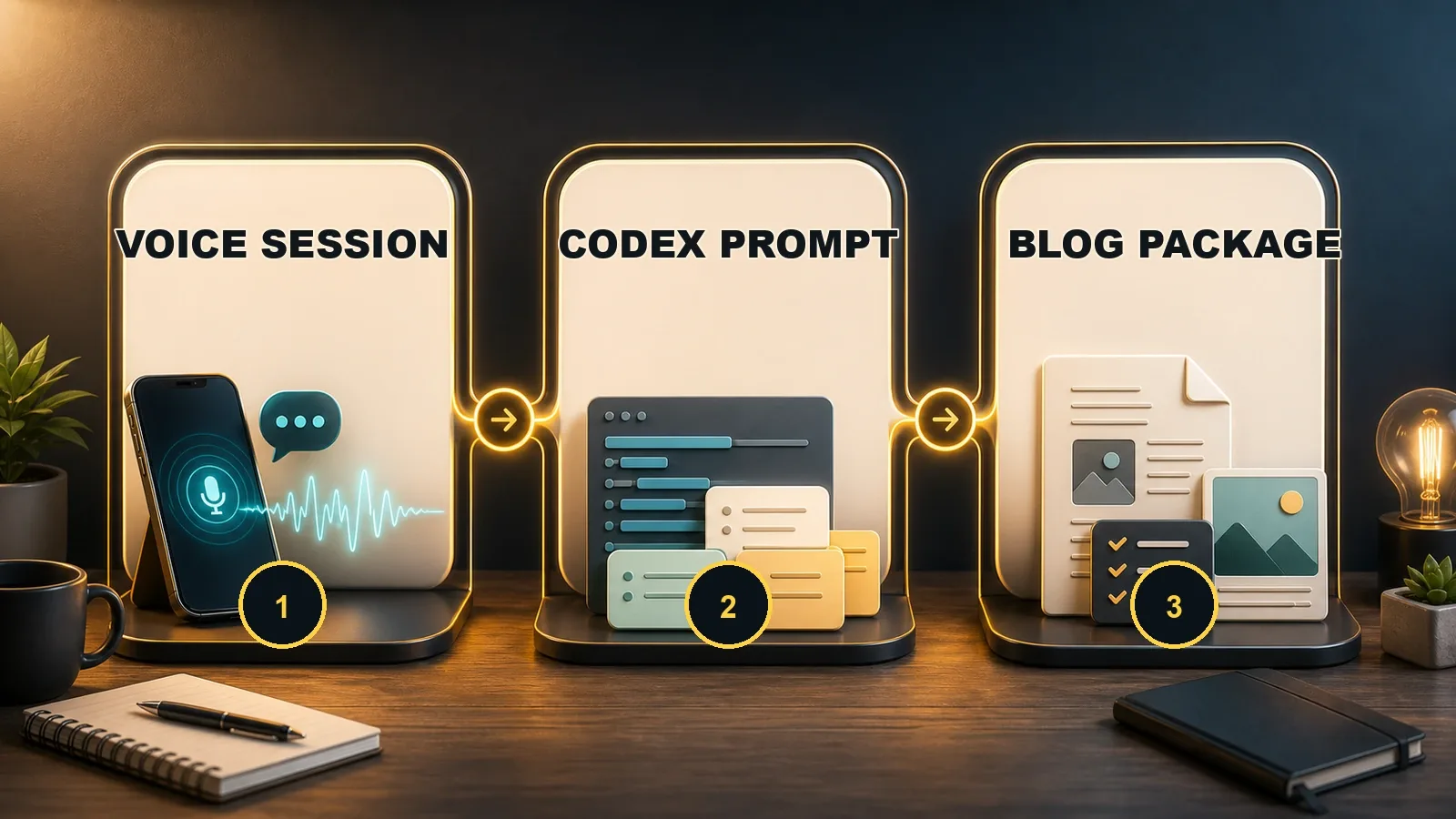
Here is the workflow I am testing right now for ColinMichaels.com:
- I start with a voice conversation in ChatGPT Live.
- I talk through the idea naturally, the same way I would talk it out with another person.
- I ask ChatGPT to turn that conversation into a structured Codex prompt.
- I feed that prompt into my local Codex workflow.
- Codex creates the blog draft, Editor.js JSON, SEO metadata, image direction, and social copy.
- I review everything before it goes anywhere near the website.
That last step matters.
AI is useful, but I do not want a magic publish button. I want a writing bench. Something that helps me get from a rough idea to a real package, while still forcing me to review the work, tighten the voice, check the facts, and make sure the final post actually sounds like me.
That is the part I am excited about. ChatGPT Live is not replacing the writing process. It is making the beginning of the writing process less awkward.
A Simple Way To Think About It
If typing into ChatGPT is like sending a text message, ChatGPT Live is closer to talking through an idea at the kitchen table.
That does not mean the answer is automatically better. It means the starting point is more natural.
You can say:
- Explain this like I am brand new.
- Wait, go back to the previous point.
- Give me a real example.
- Do not use buzzwords.
- What would a beginner misunderstand?
- Turn this into a checklist.
- Now make it sound like me.
That is a completely different experience from staring at an empty text box and thinking, "What is the correct prompt?"
There may not be a correct prompt yet. Sometimes the conversation is how you find it.
Why Beginners Should Care
If you are new to AI, I think voice is one of the easiest entry points because it lets you be imprecise at first.
That is how most people actually think. We do not begin with a clean outline. We begin with a feeling, a question, a problem, or a vague sentence like, "I know what I mean, but I do not know how to say it."
ChatGPT Live is useful because you can start there.

You could use it to:
- Plan a family trip without opening seventeen browser tabs immediately.
- Practice explaining a work idea before a meeting.
- Turn a rough note into a clearer email.
- Ask beginner questions about a new hobby without feeling silly.
- Brainstorm a blog post, YouTube video, newsletter, or project.
- Talk through a decision and ask it to organize the pros and cons.
- Ask for a five-minute beginner lesson on something you keep putting off.
None of that requires you to be technical. It just requires curiosity and a little patience.
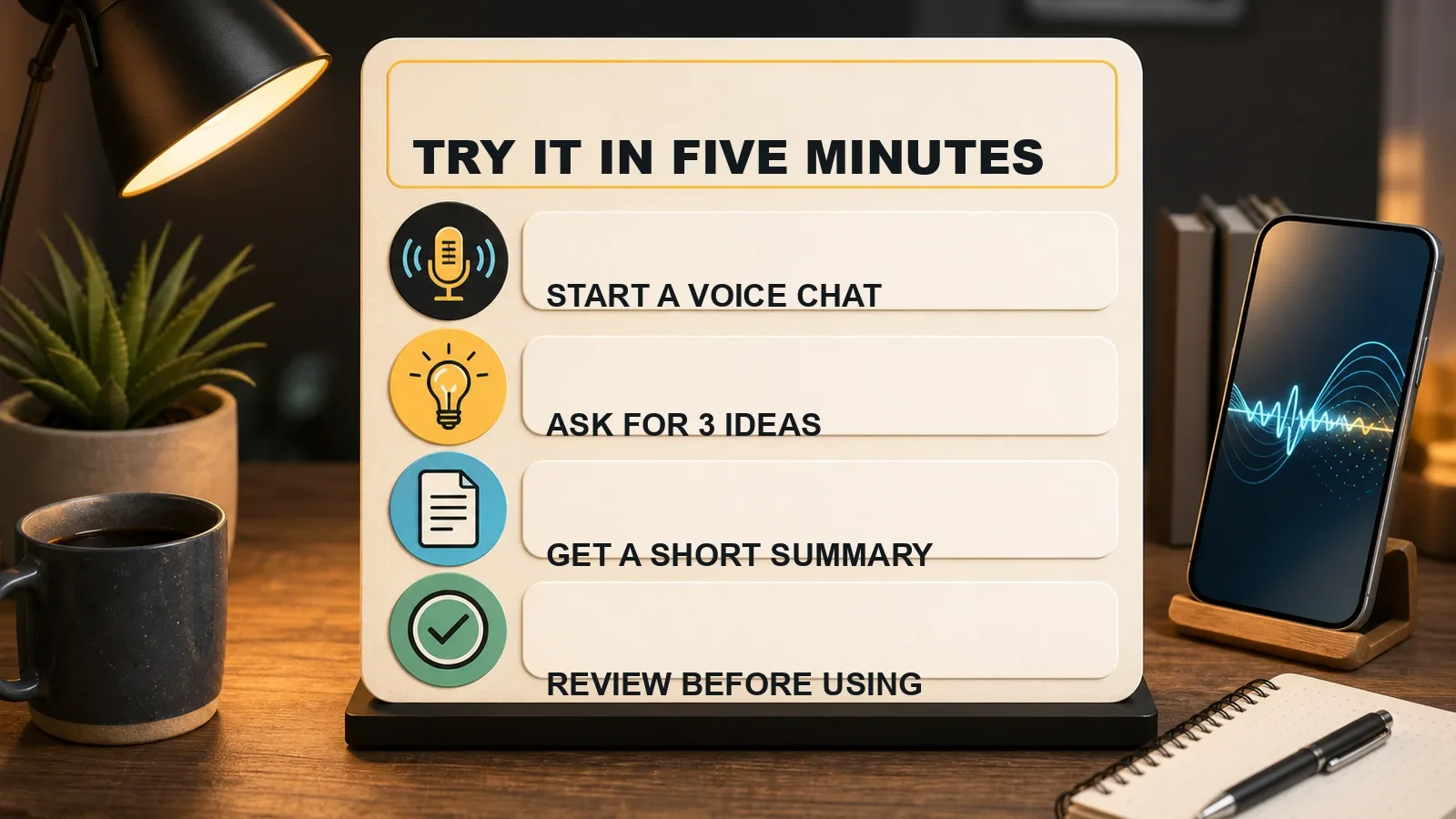
Try It Yourself In Five Minutes
If you have access to ChatGPT Voice or Live, try this:
- Open ChatGPT and start a voice conversation.
- Say, "I am new to AI. Help me find one practical way to use this in my everyday life."
- Ask it to give you three ideas.
- Pick one.
- Ask it to walk you through that one idea step by step.
- When you are done, ask it to summarize the conversation into a checklist.
That is it.
Do not start with a giant workflow. Do not worry about whether you are using the fanciest model. Do not spend your first ten minutes buried in settings.
Just have one useful conversation. Then decide if it helped.
A Few Guardrails
This is still AI, so keep your common sense switched on.
Do not share passwords, private account numbers, medical details you would not want stored, or anything you would not want tied to your account history. OpenAI's Help Center notes that Voice conversations may produce transcripts, and the transcript may not match the exact spoken conversation when things move quickly or overlap.
Also, check important information. Dates, prices, laws, health advice, travel requirements, and anything location-specific should be verified before you act on it.
I would treat ChatGPT Live like a helpful brainstorming partner, not an authority figure.
Helpful? Yes.
Always right? Absolutely not.
The Part I Am Most Interested In
The thing that interests me most is not just voice chat. It is what happens after the voice chat.
One conversation can become:
- A blog outline
- A full article draft
- An Editor.js CMS import
- SEO metadata
- A hero image direction
- Social posts
- A YouTube teaser
- A newsletter intro
- A future video script
That is where this becomes more than a feature. It becomes a creative pipeline.
Voice is the messy human front door. Codex is the structured building room. The website is the final shelf where the finished thing lives.
That is the system I want to keep building.
What I Learned Today
ChatGPT Live matters because it makes AI feel less like operating software and more like starting a conversation.
For beginners, that is powerful. You do not need to know the perfect words before you begin. You can talk your way into the idea.
For creators, it is even more interesting. A casual voice session can become the first step in a repeatable publishing workflow.
That is the sweet spot for me: human conversation first, automation second, and review before publishing.
If you are curious but intimidated, start small. Ask one question. Talk through one idea. Have one five-minute conversation.
You might be surprised how quickly the blank page stops feeling so blank.
Next Lesson
Next Lesson -> Building Your First AI Workflow
Learn More
- OpenAI Help Center: ChatGPT Voice
- OpenAI: Introducing the Realtime API