Trust & transparency
Evidence & disclosures
Evidence basis: Manufacturer-supplied evidence. Material claims or demonstrations came from the company responsible for the product and are not independent results.
Based on current ChatGPT Study Mode behavior; the learning workflow is guidance, and students must still follow their teacher’s and school’s rules.
Sources checked: Aug 20, 2026
Linked references: 1 explicit source in the article.
How to Use ChatGPT Study Mode Without Letting AI Do Your Homework
There are two very different ways to use AI for school.
One way is to ask for the answer, copy it, turn it in, and learn almost nothing.
That is the fast path. It is also the path where your brain gets to sit in the back seat eating snacks while the robot drives.
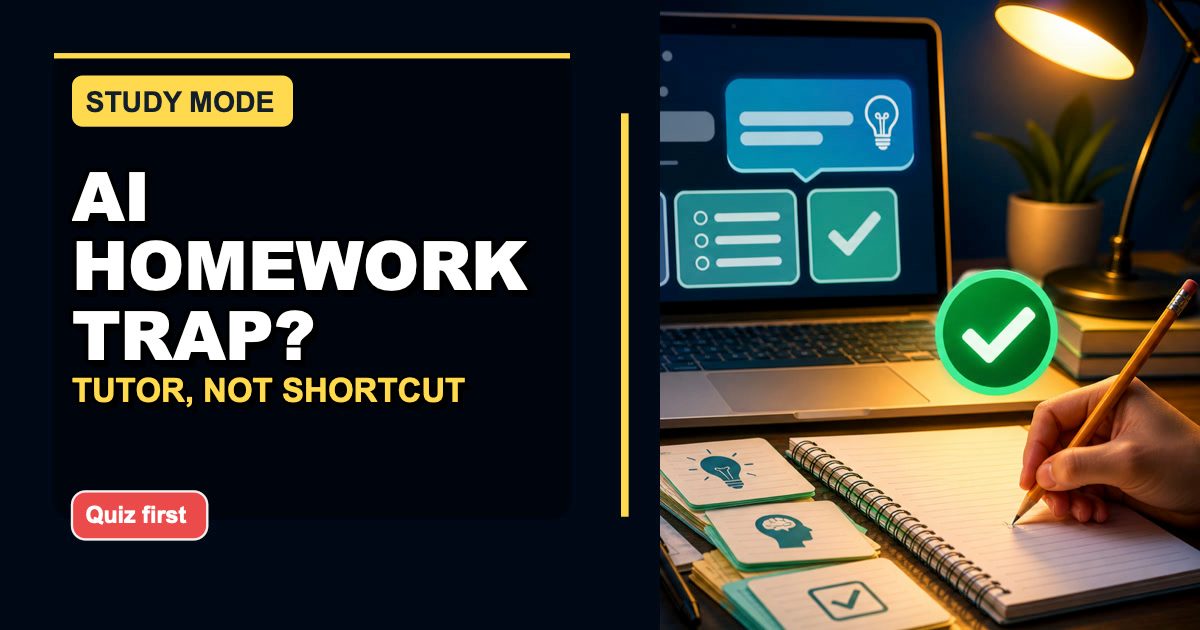
The better way is to use AI like a patient tutor.
Not a magic answer machine. Not a shortcut around the work. A tutor.
That is why ChatGPT's Study Mode is worth talking about. OpenAI introduced it as a way to help people work through problems step by step instead of just getting quick answers. At launch, OpenAI said it was available to logged-in Free, Plus, Pro, and Team users, with ChatGPT Edu availability coming later. Like most AI features, exact access can vary by account, plan, school, and region, so treat that as a "check your own account" detail rather than a permanent guarantee.
The big idea matters more than the menu label anyway:
Use AI to learn the thing, not dodge the thing.
TLDR
If you are a student, parent, homeschool family, or adult learner, here is the simple rule:
Use ChatGPT Study Mode when you want hints, practice questions, explanations, and feedback.
Do not use it to replace your own thinking.
A good Study Mode prompt sounds like this:
Quiz me on the causes of the Civil War one question at a time. If I get one wrong, explain it in simple words and ask me another question.
That is the difference.
"Write my answer" skips the learning.
"Quiz me and explain what I miss" builds the learning.
What Study Mode Is Supposed To Do
OpenAI described Study Mode as a learning experience built around step-by-step guidance. The feature is meant to use guiding questions, hints, self-reflection, scaffolded explanations, quizzes, open-ended questions, and personalized feedback.
In normal-person language:
It should slow the conversation down enough for you to participate.
That is important because a lot of AI chat can feel too smooth. You ask a question. It gives you a polished answer. You think, "Great, I understand it."
Then you close the laptop and realize you do not understand it at all.
You were reading the explanation, not practicing the skill.
Study Mode is trying to push the experience closer to tutoring. A good tutor does not just hand you the answer key and say, "Good luck, champion." A good tutor asks what you already know, gives you a hint, lets you try, corrects the misunderstanding, and then makes you practice again.
That is the useful part.
Why This Matters For Regular Families
The conversation around AI and school gets emotional fast.
Teachers are worried students will cheat. Parents are worried their kids will fall behind. Students are worried everyone else is using AI and they will be the only one doing things the slow way. Adult learners are trying to keep up with a world that keeps changing the tools every fifteen minutes.
All of those concerns are fair.
But "never use AI" is not very realistic. Students are going to use it. Adults are going to use it. Schools are going to keep figuring out policies. Workplaces are already using AI whether the lesson plan has caught up or not.
So the better question is:
How do we use it without hollowing out the learning?
That is where Study Mode can be genuinely helpful.
It gives families a more honest way to talk about AI. Instead of "ChatGPT is cheating" or "ChatGPT is magic," the conversation can become:
- Did it help you understand the topic?
- Did you answer any questions yourself?
- Can you explain the idea without looking?
- Did you use it for hints or for the finished work?
- If your teacher asked you to defend this answer, could you?
Those are better questions.
They make AI use about learning behavior, not just which app is open.
The Wrong Way To Use It
Let us get the obvious part out of the way.
This is the wrong prompt:
Write my history homework answer about the causes of the Civil War.
That might produce words. It might even produce decent words.
But it does not mean you learned the topic.
The danger with AI is not only that it can be wrong. The danger is that it can make you feel finished before you have done the mental work.
That is a sneaky problem.
The answer looks complete, so your brain says, "We are done here." But if you cannot summarize it, explain it, answer a follow-up question, or connect it to the class material, then the learning never really happened.
That is not just a school problem either. Adults do this all the time with work, health information, money decisions, software, and home projects. We read a confident answer and mistake the confidence for understanding.
I have absolutely done this with tools, code, and probably instructions for assembling something that later looked like modern art with screws.
So the goal is not to avoid help.
The goal is to avoid fake understanding.
The Better Way: Make ChatGPT Work Like A Tutor
If you want Study Mode to help, ask it to make you participate.
Here are the instructions I would give a student:
I am trying to learn this, not just get the answer. Ask me one question at a time. Give hints before answers. If I get something wrong, explain why in simple words and make me try a similar question.
That one prompt changes the whole tone.
Now ChatGPT has a job:
- Ask.
- Hint.
- Check.
- Explain.
- Practice again.
That is learning.
It is not perfect. OpenAI itself said Study Mode was initially powered by custom system instructions and could still have inconsistent behavior or mistakes across conversations. So you still need common sense, class notes, teacher instructions, textbooks, and source material.
But as a study partner, that structure is much better than answer dumping.
Five Rules I Would Give Any Student
Here is the practical version.
If you are going to use Study Mode, use these five rules.
1. Ask For Hints Before Answers
Do not start with "solve this."
Start with:
Give me a hint, but do not give me the final answer yet.
This matters because hints keep your brain in the game.
For math, ask it to point out the next step.
For history, ask it to remind you which cause connects to which event.
For science, ask it to help you identify the concept being tested.
For writing, ask it what your paragraph is missing instead of asking it to rewrite the whole thing.
The goal is to stay close enough to the problem that you still have to move.
2. Make It Quiz You One Question At A Time
One of the best uses of AI for learning is self-testing.
Reading feels good, but testing reveals what stuck.
Try this:
Quiz me on photosynthesis one question at a time. Wait for my answer before moving on. If I am wrong, explain the mistake and ask a follow-up.
That is simple and powerful.
It works for vocabulary, history dates, science concepts, language learning, Bible study, certification exams, driver's permit tests, software tutorials, and adult learning in general.
The "one question at a time" part is important.
If ChatGPT gives you twenty questions at once, you may skim them and feel productive without really practicing. One question at a time forces you to answer.
It is less glamorous.
It also works better.
3. Explain Your Thinking Out Loud
This is where Study Mode can become more than flashcards.
Ask it to make you explain yourself:
After each answer, ask me why I think that is the answer. Then tell me where my reasoning is strong or weak.
That is uncomfortable in the good way.
A lot of schoolwork is not just about landing on the right answer. It is about knowing why the answer is right.
This helps with:
- Math word problems.
- Essay arguments.
- Science explanations.
- Historical cause and effect.
- Reading comprehension.
- Test prep.
- Coding practice.
If you can explain your thinking, you probably understand more than you think.
If you cannot explain it, that is not a failure. That is the map telling you where to study.
4. Use Your Class Material
ChatGPT is not your teacher.
It does not automatically know what your class covered, what vocabulary your teacher expects, what examples were used in class, or what your assignment directions require.
So bring the source material into the conversation when it is allowed.
You can say:
Use these notes as the main source. Help me study from them. Do not add extra facts unless you clearly label them as outside context.
Then paste a short section of notes, a study guide, or a paragraph from approved material.
This is especially useful for parents and homeschool families. You can keep the learning tied to the curriculum instead of letting the AI wander into a college lecture when the student needed a seventh-grade explanation.
That matters.
The fanciest explanation is not always the best explanation.
The best explanation is the one that matches the learner.
5. Write The Final Answer Yourself
This is the rule that keeps the whole thing honest.
Use Study Mode to understand.
Use your own brain and words for the final work.
Before turning anything in, ask yourself:
- Could I explain this answer out loud?
- Did I choose the examples?
- Did I write the final version?
- Did I follow the assignment directions?
- Would I be comfortable telling my teacher how I used AI?
That last question is a pretty good honesty test.
If the answer is "No, I would hide this," something is probably off.
Prompt Examples You Can Actually Use
Here are a few practical prompts I would keep around.
For history:
Quiz me on the causes of the Civil War one question at a time. If I miss something, explain it in simple words and then ask me a similar question.
For math:
Help me solve this algebra problem, but only give me one hint at a time. Make me do each step before you continue.
For science:
Teach me the difference between mitosis and meiosis using simple language. Then quiz me with five questions, one at a time.
For an essay:
I have to write my own essay. Do not write it for me. Help me check whether my thesis is clear and whether my outline supports it.
For reading:
Ask me comprehension questions about this chapter. Start easy, then make the questions harder. Do not answer until I try first.
For adult learners:
I am learning this as an adult beginner. Explain it plainly, check my understanding after each section, and do not move on until I can summarize it back to you.
That is the kind of AI use I feel good about.
It is not pretending the tool does not exist.
It is putting the tool in the right seat.
A Parent-Friendly Way To Think About It
If you are a parent, the goal is not to become the AI police every night at the kitchen table.
That sounds exhausting, and nobody needs homework time to become a courtroom drama.
Instead, try asking better check-in questions:
- Show me what ChatGPT asked you.
- What did you get wrong at first?
- What did it explain that helped?
- Can you teach me the idea in your own words?
- Which part is still confusing?
Those questions are better than "Did you cheat?"
They focus on process.
They also make room for a student to say, "I used it because I was stuck," without immediately turning the conversation into a confession scene.
Sometimes students cheat because they are being lazy.
Sometimes they cheat because they are overwhelmed, embarrassed, behind, tired, or scared to ask for help.
Study Mode will not solve all of that.
But it can make it easier to turn "I do not get this" into "Help me practice this."
That is a much better starting point.
For Homeschool Families
Homeschool families may get even more value from this because Study Mode can act like an extra practice partner.
It can quiz a student while a parent works with another child.
It can re-explain a concept in a different way.
It can generate practice questions from the day's lesson.
It can help an older student study more independently.
But I would still keep the same boundaries:
- The parent chooses the source material.
- The student answers before ChatGPT explains.
- The final work is written by the student.
- Anything important gets checked against the curriculum.
Used that way, AI becomes a support tool instead of a substitute teacher with too much confidence.
What Study Mode Cannot Fix
This is still AI, so we should keep our feet on the ground.
Study Mode can still misunderstand a question.
It can still explain something poorly.
It can still be too easy, too hard, or too confident.
It can still drift away from what the teacher actually wants.
And, very importantly, it cannot decide your school's AI policy for you.
If a teacher says no AI on an assignment, that matters.
If a class allows AI for studying but not for writing final answers, follow that.
If the rules are unclear, ask.
I know that is the boring answer.
The boring answer is occasionally correct.
My Simple Test
Here is the test I would use:
After using Study Mode, close ChatGPT.
Then explain the topic out loud for sixty seconds.
No notes.
No copy-paste.
No fancy wording.
Just explain it like you are helping a younger student.
If you can do that, the tool probably helped.
If you cannot, go back and ask for practice questions, simpler explanations, or a different example.
That is the loop:
Learn a little.
Try.
Miss something.
Fix it.
Try again.
That is not as flashy as instant answers.
It is also how people actually learn.
BONUS:
# - Build a reusable Training Game SKILL.md for . This should be a [GAME_TYPE] for [SUBJECT]. (include your custom parameters)
Use this prompt in to build your own little quiz game
Source And Availability Note
This post is based on OpenAI's July 29, 2025 announcement, "Introducing study mode." OpenAI described Study Mode as step-by-step learning support with interactive prompts, scaffolded responses, personalization, knowledge checks, and a Study Mode toggle.
OpenAI also noted that the early version was powered by custom system instructions, which means behavior could still be inconsistent or make mistakes across conversations.
At launch, OpenAI said Study Mode was available to logged-in Free, Plus, Pro, and Team users, with ChatGPT Edu availability coming later. Because AI product access changes over time, check your own ChatGPT account, school policy, and region before assuming a feature is available.
Source: https://openai.com/index/chatgpt-study-mode/
Final Thought
I like Study Mode because it gives normal people a better way to talk about AI in school.
Not "AI is evil."
Not "AI should do everything."
Something more useful:
AI can help you study, but it should not replace the part where your brain has to wrestle with the material.
That wrestling is the point.
It is annoying sometimes. It is slower. It can make you feel stuck for a while.
But that is where the learning happens.
So if you are going to use ChatGPT for school, use it like a tutor.
Make it ask you questions.
Make it wait for your answer.
Make it explain what you missed.
Then close the tab and say it back in your own words.
That is the difference between using AI to escape the homework and using AI to finally understand it.