Trust & transparency
Evidence & disclosures
Not yet classified. This article has not yet been classified under the current editorial standard. It may predate the policy; do not assume a product was owned, tested, supplied, or independently verified unless the article says so.
Linked references: 4 explicit sources in the article.
Most AI video tools start with a familiar arrangement: describe a scene, wait for a clip, then watch what came back. Google’s new Genie 4 points toward something more interesting: a scene that keeps responding while you move through it and ask for changes.
Imagine exploring a lakeside scene, changing the weather, and hearing the environment respond. The interesting part is the connection between your instruction and what happens next. That is the promise of a world model, and Google’s new announcement gives us several useful examples to examine.
Google DeepMind announced Genie 4 on October 27, 2026. This article is based on that announcement and its official media, checked October 28. I have not tested Genie 4 myself. The examples below are Google’s demonstrations, with my explanation of what to look for.
Start here: the official Genie 4 launch video
Watch once for the overall idea, then watch again for the controls and the timing of changes. A beautiful frame tells you about appearance. An instruction followed by a sensible response tells you more about interaction. Both matter here.
What is a world model, in regular English?
For this discussion, think of a world model as AI that generates an environment and continues generating what you see as you act inside it. Google says these demos use standard keyboard navigation and camera controls, with text prompts that steer the unfolding scene.
That changes the creative question. Instead of only asking what a scene should look like, you can ask what should happen if you walk somewhere, add an object, or change the conditions. The system has to keep enough of the scene together for your next action to make sense.
An explorable generated scene also has different expectations from a finished game. A game normally has deliberately built rules, levels, assets, and systems. Genie’s research challenge is to produce a convincing ongoing experience through generation. The announcement does not establish a downloadable, editable game project or a replacement for a production game engine.
Accomplishment 1: changing the world while it is running
Google says natural-language instructions can change weather, camera position, people, and objects while a simulation continues. Gemini interprets those instructions in context and helps guide the scene between user inputs. The accomplishment being presented is an ongoing loop: generate, observe, steer, and continue.
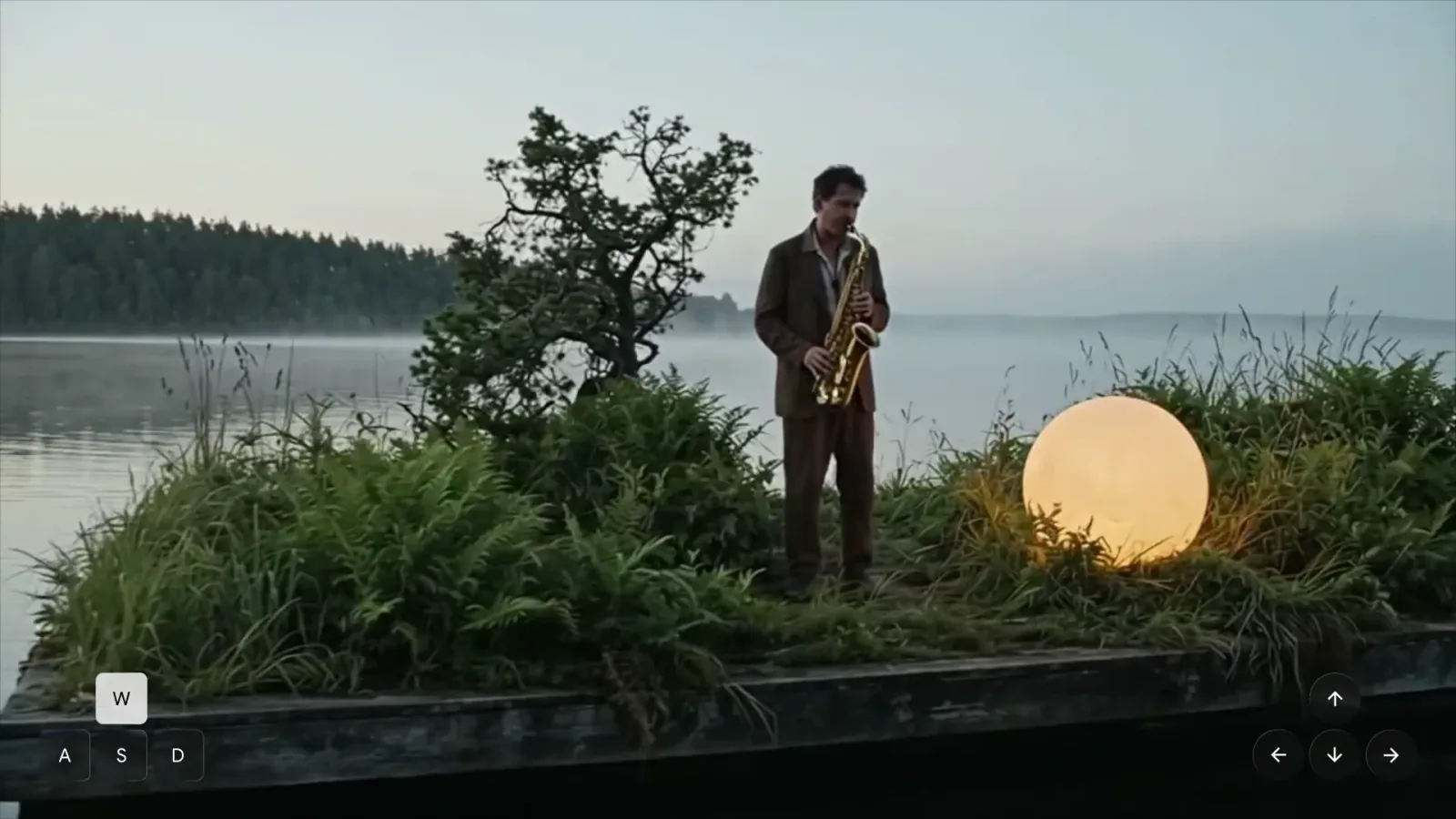
Watch Google’s official live-steering video. This is a Google-selected recording of a generated simulation, not footage of the real event.
The lakeside musician is a good example because there is more to maintain than a backdrop: a person, an instrument, vegetation, water, lighting, and the relationship between them. While watching, pick one fixed object and see whether it keeps its identity as the view moves. That is a more useful question than simply asking whether the scene looks cinematic.
Accomplishment 2: sound belongs to the generated world
Genie 4 is Google’s first real-time world model with native audio generation. According to DeepMind, it can generate environmental sound, music, and interactive speech alongside the visual world. Characters can respond to events and user input through dialogue.
For the musician scene, turn the sound on and compare what you hear with what appears to be happening. Does the sound seem connected to the activity? Does it change appropriately? The important development is that sound can participate in an interaction instead of serving only as a background track.
Google’s audio claims make this worth paying attention to, but the announcement also lists real-time audio accuracy as an area needing work. Native audio is a capability; perfectly synchronized, consistently appropriate sound remains a question to test.
Accomplishment 3: more convincing motion and collisions
DeepMind highlights improvements in human movement and physical-looking behavior, including collisions and aerodynamics. Its examples include a falling maple seed, a busy train station, and a watermelon struck by a marble bust.
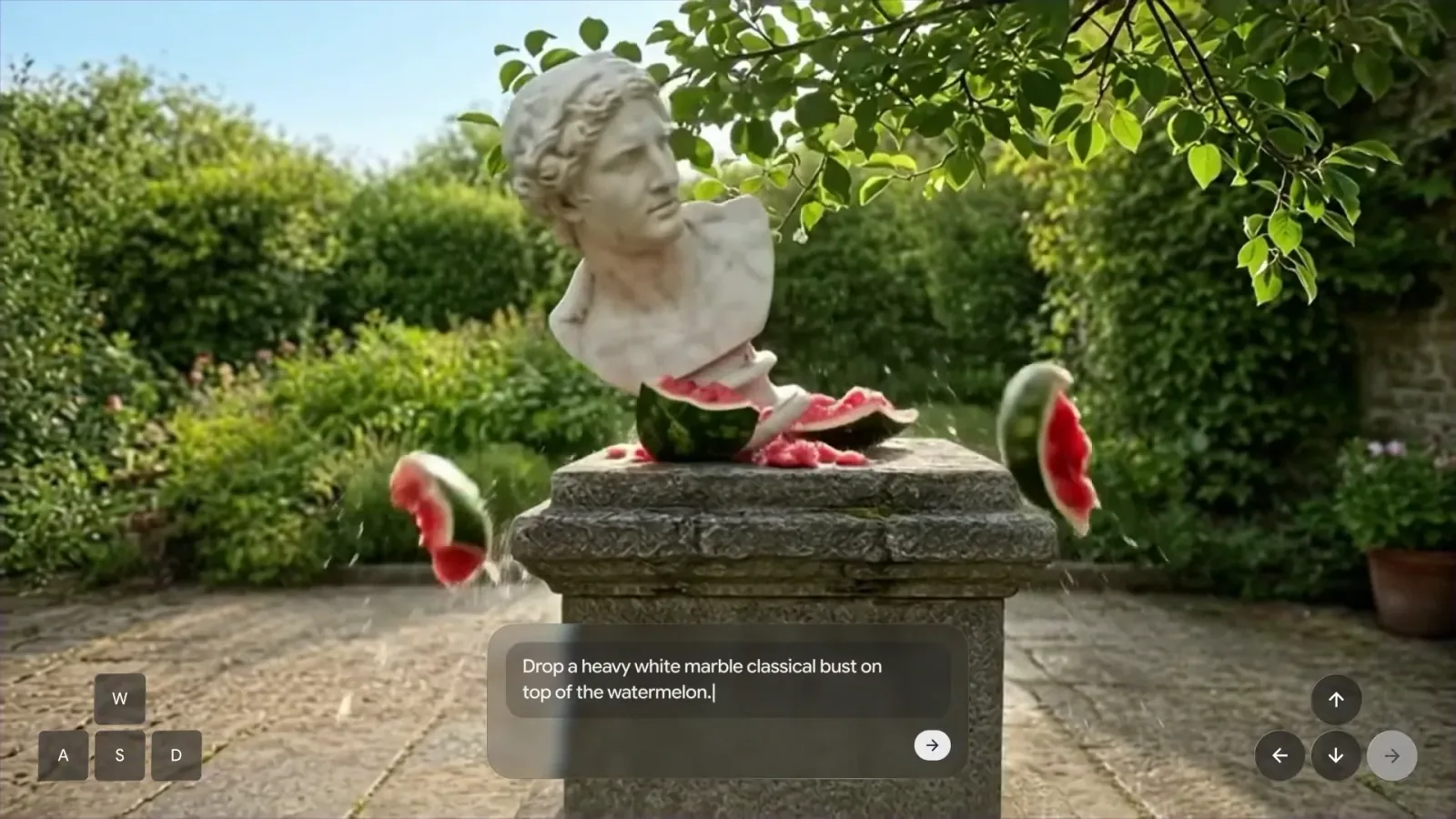
Watch Google’s official watermelon collision video. This is a Google-selected recording of a generated simulation, not footage of the real event.
This screenshot tells the story especially well because the requested change is visible alongside its result. You can connect the instruction to the impact, then inspect the pieces, motion, and surrounding scene in the video.
I would keep a firm distinction between a plausible-looking collision and an accurate physics calculation. Google explicitly identifies complex physical interactions and spatial accuracy as ongoing research. A convincing melon explosion does not tell us that the model can calculate a safe machine design. It does, however, give us a concrete way to examine how an instruction changes a generated world.
Accomplishment 4: Gemini helps plan what happens next
The reasoning layer is another significant part of the announcement. Google describes Gemini 3.8 Flash observing incoming frames, splitting goals into steps, tracking progress, and adapting when the user intervenes. Genie renders the changing environment while Gemini helps organize the sequence.
In a separate robotics example, Google combines Gemini 4 Argon with Genie 4 to simulate Apptronik’s Apollo humanoid playing checkers. Argon supplies steps that steer the simulation. The side-by-side presentation makes the relationship between a written instruction and the generated result easier to understand.
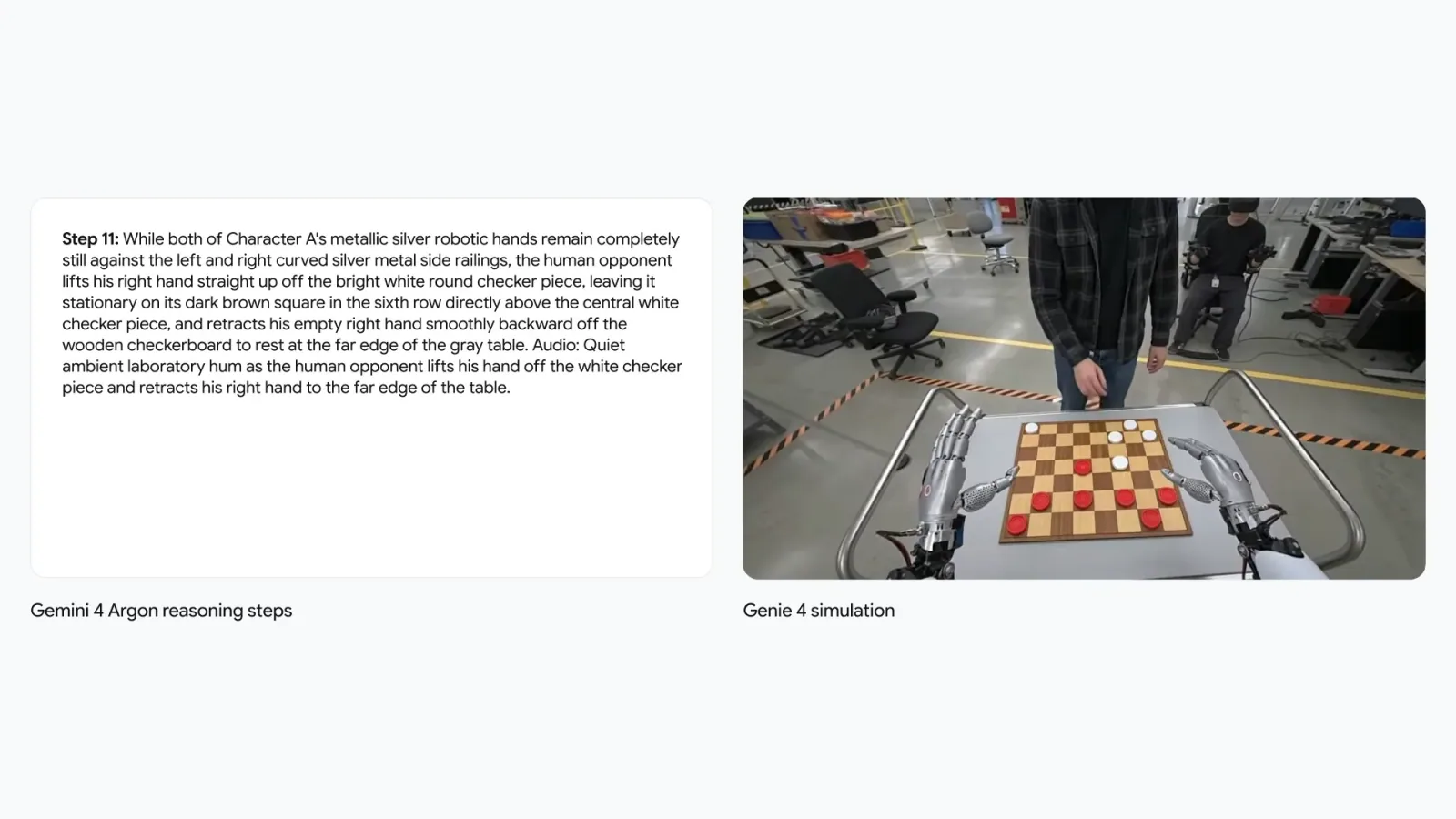
Watch Google’s official robotics and checkers video. This is a Google-selected recording of a generated simulation, not footage of the real event.
The practical research question is whether these systems can generate varied situations in which agents can be studied before real-world deployment. The announcement shows a direction for that work. It does not provide enough evidence here to conclude that training in these worlds reliably transfers to a physical robot.
Why this could matter beyond an impressive demo
The most approachable use case is trying out an idea before committing to a larger build. Google says trusted testers are exploring film pre-visualization, interactive experience concepts, education, journalism, and engineering scenarios. Those are early explorations, not promises that every workflow is ready.
For a small creator, I can see the appeal of exploring a camera move or a scene’s atmosphere before building a complete environment. That is my interpretation of the potential, not a report that I have used Genie 4 for a production. It would still take repeatable results, usable output, and clear access terms to make it part of an everyday workflow.
The journalism example deserves particular care. Turning an archival photograph into an explorable scene can help someone imagine a place, but newly generated areas and actions are not recovered historical evidence. A convincing simulation must remain clearly labeled as an interpretation.
Can you actually use Genie 4 yet?
As of October 28, Google describes Genie 4 as a research preview released to trusted testers. Its announcement says access is coming to Google AI Ultra subscribers through Project Genie and to early-access partners through the Gemini API and Google AI Studio. Use the waitlist link on the official announcement for the current route.
That wording matters: an announcement and a planned rollout do not guarantee access in your account today. Check the live product page for your eligibility and current terms before paying for a plan specifically to use this model. The announcement does not specify a general-access date or Genie 4 API pricing.
What still needs work
Google says detail and object permanence can drift during longer sessions, after complex edits, and as you navigate. In plain English, something can change or stop matching what it was earlier. Legible text, spatial accuracy, complicated physical interactions, sound accuracy, and long-term consistency remain active research areas.
Google also says Genie 4’s generated video and audio will carry its imperceptible SynthID watermark. That is useful provenance information, but it does not turn generated scenes into reliable evidence of events or validate their physical accuracy.
A simple way to judge the demos yourself
Before signing up for anything, choose one linked official clip and use these four questions. This is a demo-watching exercise, not a benchmark or a hands-on model test.
- Control: can you identify an instruction and the change that follows it?
- Continuity: does one chosen object remain recognizable as the camera or scene changes?
- Sound: does what you hear fit the visible action and environment?
- Consequence: does the response follow the request without obvious unrelated changes?
Mark each one clear, unclear, or questionable. A short selected clip cannot establish reliability, but this exercise makes it easier to separate the parts you can see from the claims you would still want tested.
Final Thought
What interests me about Genie 4 is the possibility of sketching an experience you can move through and revise while it unfolds. The combination of live steering, native sound, more natural motion, and step-by-step guidance makes this a meaningful research announcement.
For now, my first step would be the free one: watch the official demos closely, follow a single change from instruction to result, and keep the limits in view. An interactive world becomes much more useful when it can remember what you just did.
Sources and media credits
Primary source: Genie 4: A new generation of world simulation, Google DeepMind, October 27, 2026; checked October 28, 2026. The official launch video and three linked demo recordings are supplied by Google. Inline screenshots were captured from those recordings at 00:05, with their full frames retained. Google retains rights to its source media. The cover is a separate AI-generated editorial illustration and is not a Genie 4 output or an official screenshot.