Trust & transparency
Evidence & disclosures
Evidence basis: Researched analysis. The article compares public evidence and does not claim hands-on testing unless a section says otherwise.
Based on FAA PackSafe battery and drone guidance; travelers must still confirm current airline and international rules for their exact batteries.
Sources checked: Aug 20, 2026
Linked references: 4 explicit sources in the article.
Flying With Drone Batteries and Power Banks: The FAA Rules I’d Check the Night Before
Packing drone gear is a strange little game of remembering twelve things that all look important.
The drone? Obviously. Controller? Yes. Memory cards, charger, spare props, cables, filters, and the tiny adapter that will become the most important object in the world if I leave it at home? All accounted for.
Then there are the batteries—the plain-looking part of the kit that can create the biggest airport headache if it ends up in the wrong bag.
The good news is that the current FAA baseline is not hard to understand. For the ordinary drone batteries, camera batteries, laptop batteries, and power banks most of us carry, the main questions are simple: Is it installed or spare? What is its watt-hour rating? Are the terminals protected? Does the airline have a stricter rule?
This is the five-minute check I would do the night before a flight, when I still have time to fix the packing instead of trying to become a battery expert beside the airline counter.
TLDR
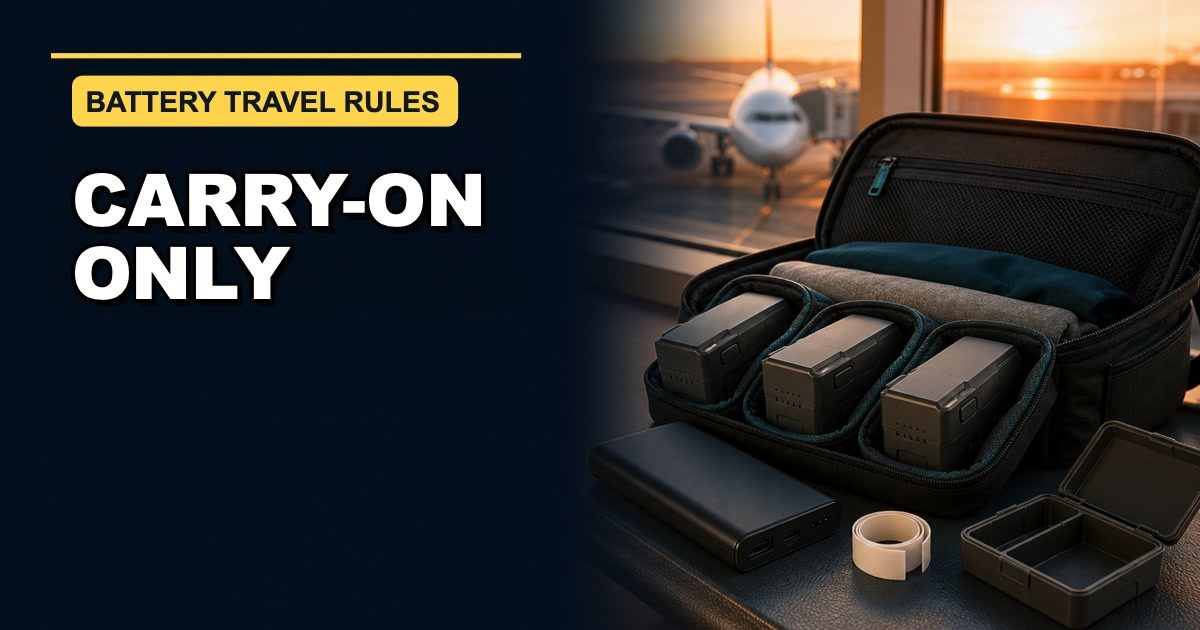
- Spare lithium batteries and power banks belong in carry-on baggage, not checked baggage.
- Most consumer rechargeable lithium batteries at 100 watt-hours or less fit within the FAA’s normal size limit, but airlines can be stricter.
- Batteries from 101 through 160 Wh need airline approval, and the FAA limits these larger spares to two per person.
- Batteries above 160 Wh are generally forbidden on passenger aircraft. Special equipment such as mobility devices follows different guidance.
- Protect every spare battery from damage and keep its terminals from touching metal.
- If your carry-on is taken at the gate, remove spare batteries and power banks and keep them with you in the cabin.
- A damaged, swollen, overheating, or recalled battery is not a travel battery.
The One Rule I Would Remember First
If the battery is loose, removable, or acting as a charger for another device, treat it as a spare.
That includes:
- Extra drone flight batteries
- Camera batteries outside the camera
- Laptop batteries that are not installed
- A power bank or portable charger
- A phone charging case with its own lithium battery
Under the FAA’s current PackSafe lithium-battery guidance, those items must travel in carry-on baggage only.
That rule still applies if the airline decides your carry-on is too large and checks it at the gate. Before the bag leaves your hands, pull out the spare batteries and power banks and keep them in the cabin.
This is the part I would make impossible to forget. I would put every loose battery and power bank together in one organized carry-on pouch instead of letting them migrate into random pockets like electronic socks.
Step 1: Find the Watt-Hour Number
The first practical move is the one from the original FAA suggestion: take out the battery or power bank and look for Wh on the label.
For rechargeable lithium-ion batteries, the FAA’s normal limit is 100 Wh per battery. That covers most everyday consumer electronics. If the label says something like 37 Wh, 54 Wh, or 74 Wh, the battery is under that federal size threshold.
If the watt-hour number is not printed but the voltage and capacity are, the FAA gives a simple calculation:
Volts × amp-hours = watt-hours
If capacity is shown in milliamp-hours, divide by 1,000 first:
Volts × milliamp-hours ÷ 1,000 = watt-hours
Here are two ordinary examples:
- A drone battery marked 15.4 V and 3.5 Ah works out to 53.9 Wh.
- A power bank marked 3.7 V and 20,000 mAh works out to 74 Wh.
Those are math examples, not approvals for a particular product. Use the manufacturer’s marked Wh rating when it is available. If the label is missing, damaged, confusing, or seems to describe several different voltage modes, check the manufacturer’s documentation and ask the airline before travel.
Step 2: Put the Battery in the Right Size Bucket
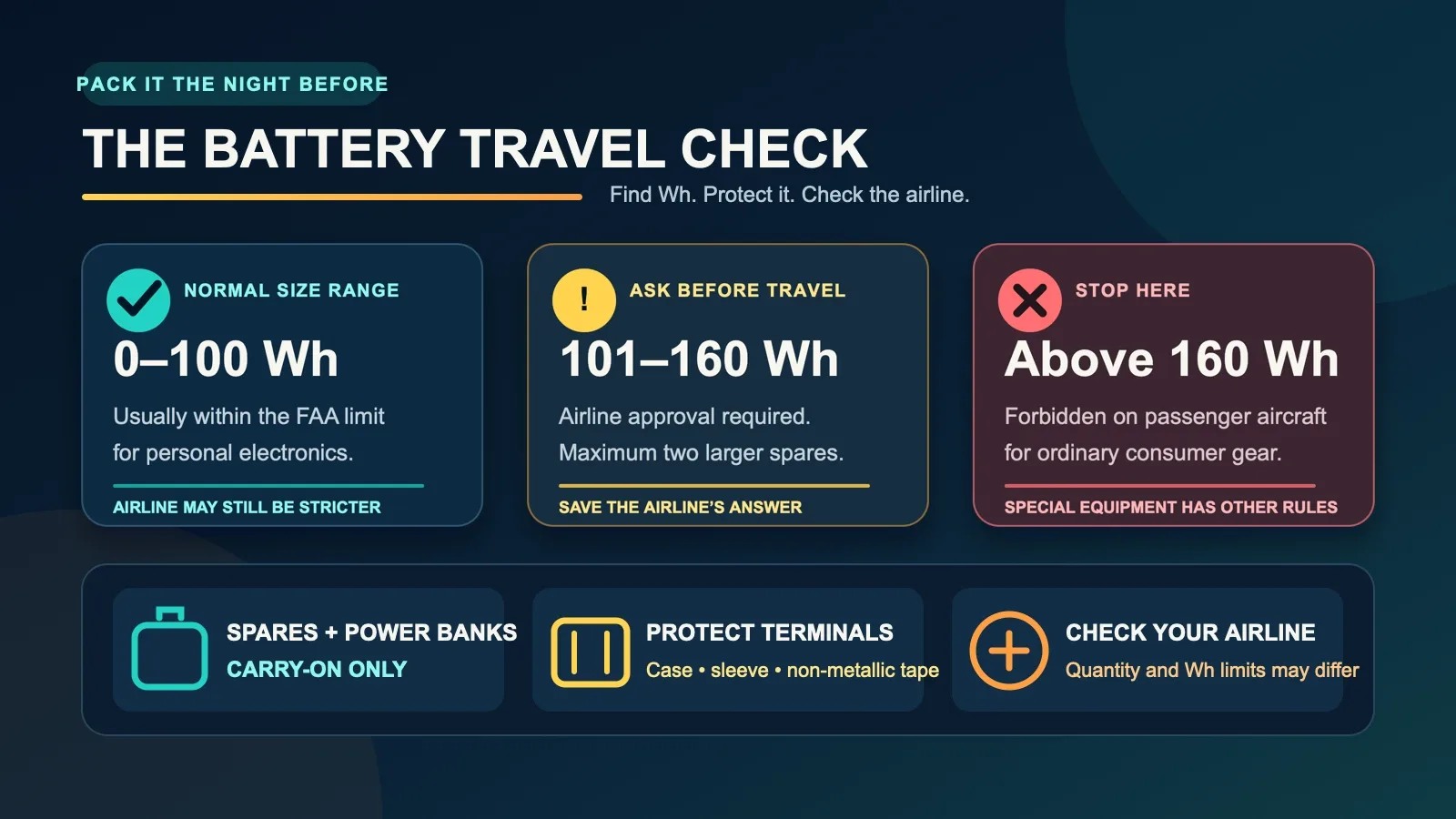
Once I have the Wh number, I would sort it into one of three buckets.
100 Wh or Less
This is the normal consumer-electronics range. The FAA allows most personal-use lithium-ion batteries at 100 Wh or less, but spare batteries and power banks still belong in carry-on baggage.
The FAA does not set a general quantity cap for most of these smaller personal-use batteries. That is not permission to arrive with a rolling suitcase full of inventory. The batteries must be for the passenger’s own use, and the airline may impose its own quantity or watt-hour limits.
For a normal hobby trip with a drone, camera, laptop, and power bank, this is probably the range most people will see. I would still count everything and check the airline instead of assuming “under 100” ends the conversation.
101 Through 160 Wh
This range requires airline approval. The FAA allows up to two spare larger lithium-ion batteries per passenger in this size range.
I would contact the airline before airport day and follow whatever approval process it gives me. A hopeful expression at the check-in counter is not a documented battery policy.
This range can appear in larger professional camera, audio, and extended-life laptop batteries. It is less common in small consumer drones, but the label—not the product category—gets the final word.
Above 160 Wh
The FAA’s passenger battery resources say lithium-ion batteries above 160 Wh are forbidden on passenger aircraft.
That is the point where I would stop trying to make the item fit an ordinary baggage checklist. Special categories, including certain mobility devices, have their own rules and airline coordination. This article is about common consumer electronics and drone gear, not those exceptions.
Step 3: Protect the Terminals and the Battery
Putting a spare battery in a carry-on is only half the job. Its terminals cannot be left where they might touch coins, keys, loose hardware, another battery, or any other metal object that could create a short circuit.
The FAA lists several practical options:
- Leave the battery in its retail packaging.
- Cover exposed terminals with non-metallic tape.
- Put each battery in a battery case.
- Use an individual sleeve or protected pocket in a camera bag.
- Place it snugly in a protective pouch or plastic bag.
For drone batteries, I like the simplest visual test: each battery should have its own protected place, and nothing conductive should be able to bounce against its contacts.
A giant pile of loose batteries at the bottom of a backpack does not become organized because the backpack has a zipper.
The battery also needs protection from crushing, puncture, and other damage. A small rigid case or fitted sleeve is a lot more convincing than hoping a hoodie will provide aerospace engineering.
Step 4: Separate Spare Batteries From Installed Batteries
A battery installed in a device is treated differently from a loose spare.
The FAA says devices containing lithium batteries—such as laptops, phones, tablets, and cameras—should be carried in carry-on baggage. If a battery-powered device is placed in checked baggage, it must be completely powered off and protected from accidental activation and damage.
“Completely powered off” does not mean sleep mode. The device should not be able to wake itself up and start generating heat inside the bag.
For a drone, I would check the aircraft manufacturer’s travel instructions and the airline’s policy. Depending on the model, the flight battery may be removable, and once removed it follows the spare-battery rule. The drone itself may be packed separately, but I would not improvise around the battery.
The simple sorting question is:
Is the battery installed in the device right now, or is it traveling as a spare?
Answer that for every battery before the bags are closed.
Step 5: Inspect the Condition, Not Just the Label
A battery can be under 100 Wh and still be unsafe to bring.
The FAA says damaged or recalled batteries and battery-powered devices that could spark or produce dangerous heat must not be carried aboard an aircraft unless the battery has been removed or otherwise made safe.
For drone owners, the practical version is easy to understand. If a lithium-polymer pack is swollen, dented, punctured, leaking, unusually hot, or behaving strangely, it does not get one last vacation because the scenery will be nice.
The same caution applies to a power bank that has been recalled or damaged. Check the manufacturer and the U.S. Consumer Product Safety Commission recall information when something looks questionable.
Do not try to solve disposal in the airport parking lot. Remove the questionable battery from the travel plan early and follow local battery-disposal guidance at home.
Why the Cabin Rule Exists
Lithium batteries can enter thermal runaway—a rapid overheating process that can lead to smoke or fire. Damage, heat, water exposure, overcharging, improper packing, or a manufacturing defect can contribute.
The FAA says flight crews are trained to recognize and respond to lithium-battery fires in the cabin. That is why spare batteries and power banks stay where a problem can be noticed and handled instead of disappearing into the cargo hold.
If a device or battery starts overheating, expanding, smoking, or burning during a flight, notify the crew immediately. That is not the moment to quietly place it under a sweater and hope the situation becomes more polite.
My Five-Minute Night-Before Check
This is the routine I would actually use:
- Put every drone battery, camera battery, laptop, phone, and power bank on one table.
- Separate installed batteries from loose spares and charging devices.
- Read or calculate the Wh rating for every rechargeable lithium battery.
- Set aside anything above 100 Wh until airline approval is confirmed; remove anything above 160 Wh from the ordinary passenger packing plan.
- Inspect each battery for damage, swelling, heat, or recall concerns.
- Protect exposed terminals and give each spare battery its own case, sleeve, or pouch.
- Put all spares and power banks in the carry-on.
- Save the airline’s current battery page or approval message where it is easy to reach.
That takes a few minutes when the gear is on the table. It feels considerably longer when a boarding announcement is playing in the background.
A Quick Checklist for Drone Owners
Before closing the carry-on, I would make sure I can answer yes to all of these:
- I know the Wh rating of every flight battery and power bank.
- Every spare battery and power bank is in my carry-on.
- Every terminal is covered or individually protected.
- No battery is swollen, damaged, hot, leaking, or recalled.
- Any 101–160 Wh battery has airline approval, and I have no more than two larger spares.
- I checked the airline’s current quantity and battery rules.
- I can remove the batteries quickly if the carry-on is gate-checked.
If one answer is no, that is the night-before job.
The Airline Gets the Last Check
The FAA rules are the U.S. federal baseline. Airlines—domestic and international—may have stricter watt-hour or quantity limits, including limits on how many power banks a passenger can carry.
International rules can differ too. For any trip, check every operating airline on the itinerary, not only the company that sold the ticket. A connecting carrier may have a different policy.
The best source is the airline’s current dangerous-goods or battery page. If the answer is unclear, contact the airline and keep the response. Battery rules are not a good place to rely on a forum answer from 2019 or a confident stranger whose main credential is owning a suitcase.
Final Thought
The goal is not to make flying with electronics feel scary. It is to make airport day boring.
Find the watt-hour number. Put spares and power banks in the carry-on. Protect the terminals. Leave damaged batteries home. Check the airline.
Do that the night before, and the batteries can become what they were supposed to be all along: the quiet part of the trip that helps the fun equipment work when you arrive.
Sources
- FAA PackSafe: Lithium Batteries — updated April 13, 2026
- FAA: Airline Passengers and Batteries — updated April 16, 2026
- FAA PackSafe: Portable Electronic Devices Containing Batteries
- FAA PackSafe: Drones and Unmanned Aircraft Systems
This is a plain-English summary of current U.S. FAA passenger guidance for common consumer electronics, not legal advice. Airline and international rules can be stricter or different, so verify the policies for your own itinerary before traveling.