Trust & transparency
Evidence & disclosures
Not yet classified. This article has not yet been classified under the current editorial standard. It may predate the policy; do not assume a product was owned, tested, supplied, or independently verified unless the article says so.
Linked references: 10 explicit sources in the article.
There is something very FPV about seeing a problem everyone has learned to live with and deciding to build a fix yourself. In this case, the builders are Owen, 10, and Rory, 14. Their project is DVR Doctor, an app designed to clean up the ugly streaks and glitches in recorded FPV video.
The ages catch your attention. The story of how they found each other, learned what they needed, and kept improving the software is what makes this worth sharing. Credit goes to Chase Momo, whose October 18 interview brought their story into focus. This post draws on that interview and the DVR Doctor website; I have not independently tested the app.
Watch Chase Momo’s interview
Start with the original video, 2 Kids Just Fixed the Problem Every FPV Pilot Hates. Chase talks with Owen and Rory and demonstrates the software. The interview begins around 7:08. All interview and video credit belongs to Chase Momo and his channel.
They met because of a YouTube comment
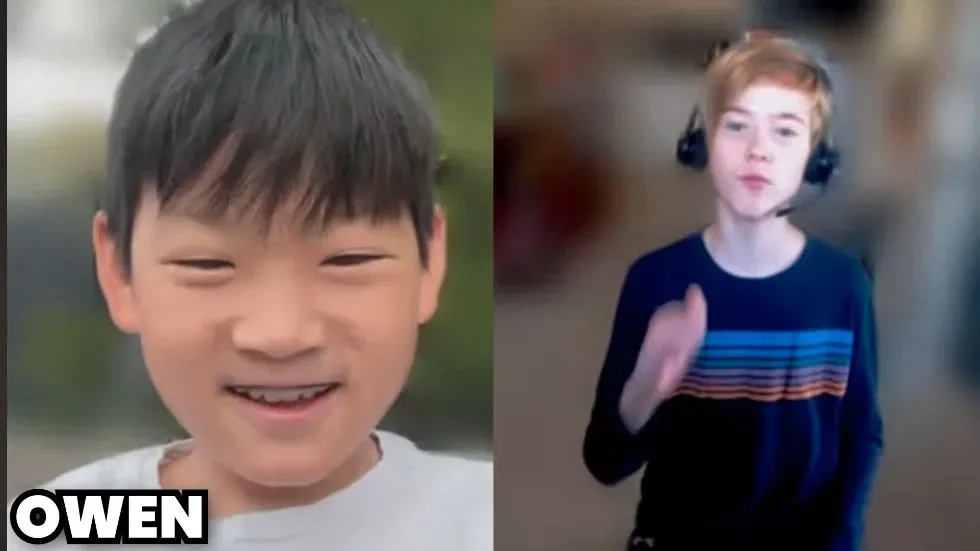
At about 7:35, Rory introduces himself and explains that Foxy is his online name. Then Owen describes watching a video comparing tiny whoop antenna range. In the comments, Rory said he wanted to use the footage for testing. Owen thought that was a smart idea and asked whether he could help.
That small exchange turned into a connection through GitHub, email, and Discord, and eventually a shared software project. At the time of the interview, they had never met in person.
That is the part I like most. An ordinary comment under a hobby video became a doorway to making something together. A shared interest gave them a reason to talk, and a specific problem gave them something to work on.
The problem: a good flight can make a rough recording
FPV means first-person view: you fly using the view from a camera on the drone. With an analog setup, the video received by your goggles can contain interference, color streaks, and breakup. Record that feed with a DVR, or digital video recorder, and those problems become part of the saved clip.
You might have flown a line you were proud of, only to play the recording for someone and spend the first minute explaining the picture quality. DVR Doctor tackles that recorded footage after the flight. It does not improve the live radio link or stop interference while you are flying.
In the interview, Rory describes looking at the strange lines in his own FPV videos and wanting to do something about them. He already knew some development, but wanted to learn Python for this particular job. His first version was basic and only partly successful. That is a very believable beginning for a useful app: something annoying, a rough attempt, and a reason to keep going.
How a 10-year-old and a 14-year-old built it
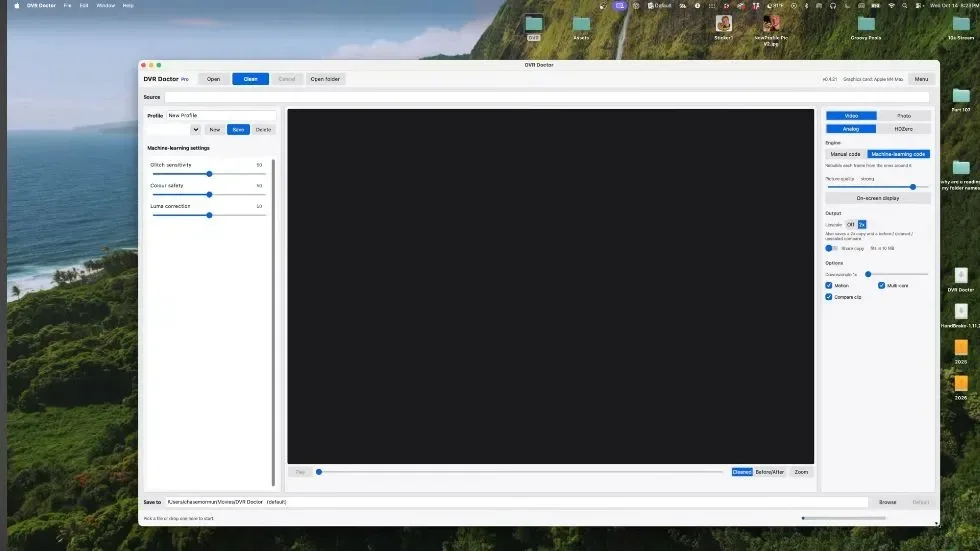
Their explanation at 8:42 is a useful reminder that software does not arrive fully formed. Rory describes an early method based on optical flow. In plain English, it estimates how the picture moves between frames, shifts a neighboring frame toward the expected position, and looks for suspicious differences that may be glitches.
Owen then explains their newer machine-learning method. As they describe it, the software detects damaged areas and uses information from surrounding frames to help reconstruct the picture. Their discussion also acknowledges the tradeoff: the newer method takes more processing time.
The current website offers both a manual correction engine and a machine-learning engine. It credits okyproxd with the app, website, and store, and foxyonfireyt with the cleaning itself. The interview gives a broader picture of two young developers contributing to the same project, learning, comparing approaches, and improving what they had.
Chase also tells a memorable story about asking for Mac support. According to his account, they sent him a Mac version less than two hours later.
They wrote the core code—and they explain where AI helped
Around 11:03, Chase asks whether they used AI to build it. Their answer deserves more care than a headline saying either “AI did it” or “no AI was involved.”
They say they write the core machine-learning code themselves. They describe using AI for supporting work such as payment integration, documentation, and learning what functions do and which parameters to use. That is their account of their process, rather than an independent audit of the source code.
There are two different ideas here: machine learning inside the app, and an AI assistant helping a developer build an app. Those are separate things. Owen and Rory describe using the first to clean video and the second for selected questions and supporting tasks. Their explanation shows real engagement with the work they are doing.
A partnership needs encouragement, too
Later in the interview, both describe supportive parents. Rory talks about encouragement and help with ideas for marketing. Owen describes his parents checking who he was working with and becoming comfortable with the collaboration. The story includes learning, family support, and finding someone who shares a particular interest.
They also talk about reaching out to creators and getting few responses. Chase taking the time to answer, try the software, and interview them matters. A useful response can give a small project a chance to be seen—and give its builders a reason to keep at it.
Want to try it? Start with one short clip
The official site, checked October 19, lists Windows 10/11 and Apple Silicon Macs running macOS 13.4 or later. It lists Standard at $4.99 and Pro at $7.99, with a one-time license for one computer. Pro adds features including OSD removal, AI upscaling, and access to the online cleaner. Check the site for current features, prices, and license terms before buying.
There is a practical first step: keep your original recording, make a copy of a short problem clip, and try the desktop trial. The site says the trial cleans the first 30 seconds and exports at 720×480 with a watermark. Compare a section with visible streaks, then a section with quick movement. Look for whether the interference improves and whether moving edges still look natural.
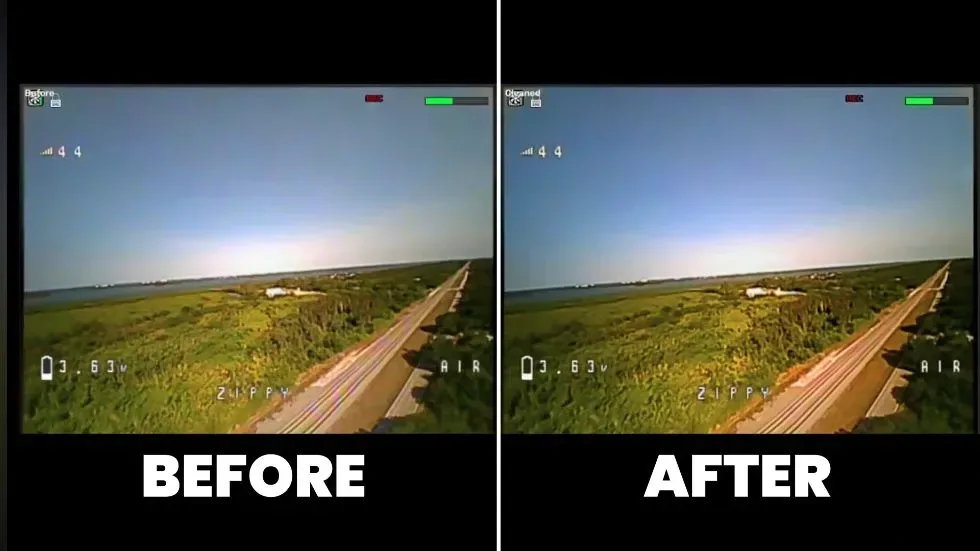
Chase demonstrates a reduction in colorful glitches in his example. That is a reason to investigate, not a promise that every damaged recording will become clean HD footage. Results depend on the source material, and the trial gives you a way to judge your own clip before paying.
Final Thought
What sticks with me is how small the first step was. A video. A comment. An offer to help. Owen and Rory turned a shared frustration into something other FPV pilots can try, before they had even met in person.
At 10 and 14, they are already learning a lesson that stays useful at any age: you can start with an imperfect version, find someone who cares about the same problem, and make it better together. I am glad Chase gave them the space to tell that story.
Sources and credit
Primary reporting: Chase Momo’s interview and demonstration, published October 18, 2026. Visit Chase Momo’s YouTube channel for the original reporting and more FPV videos. Product information: DVR Doctor, checked October 19, 2026. This is an interview-based story, not a hands-on review. Cover artwork is an original AI-generated editorial illustration of remote collaboration; it does not depict Owen or Rory or demonstrate app results.