Trust & transparency
Evidence & disclosures
Evidence basis: First-person field notes. The article is based on Colin's own project, flight, recovery experience, media, or documented workflow.
A personal account of digital clutter and the cleanup approach I would use; it is not a clinical diagnosis or a measured productivity study.
Sources checked: Aug 20, 2026
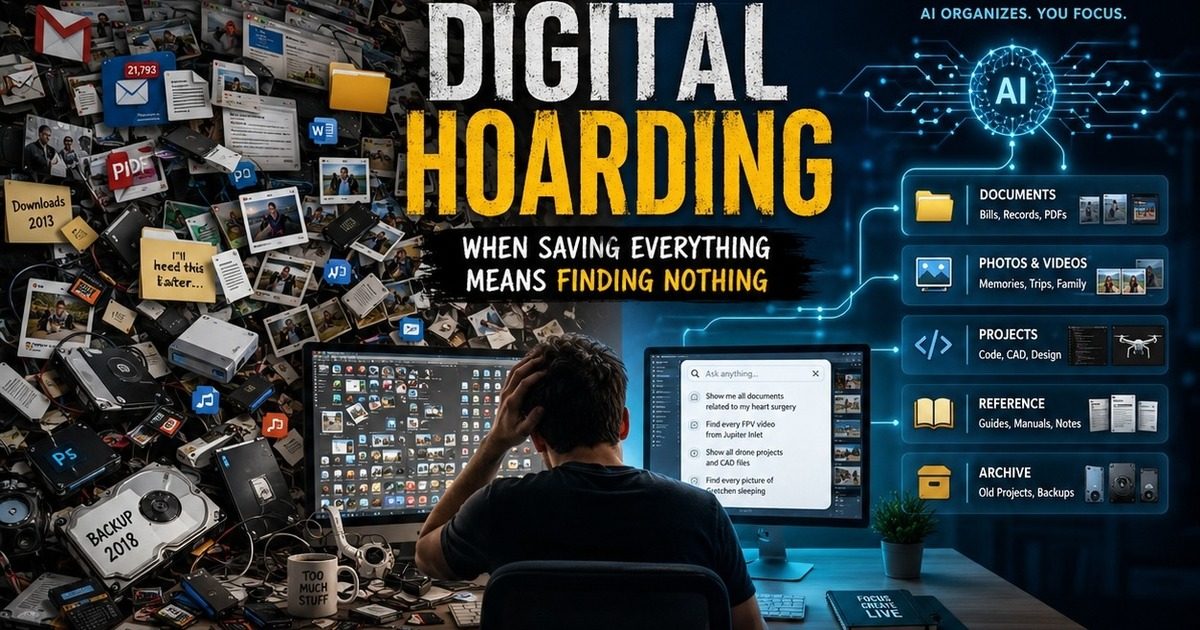
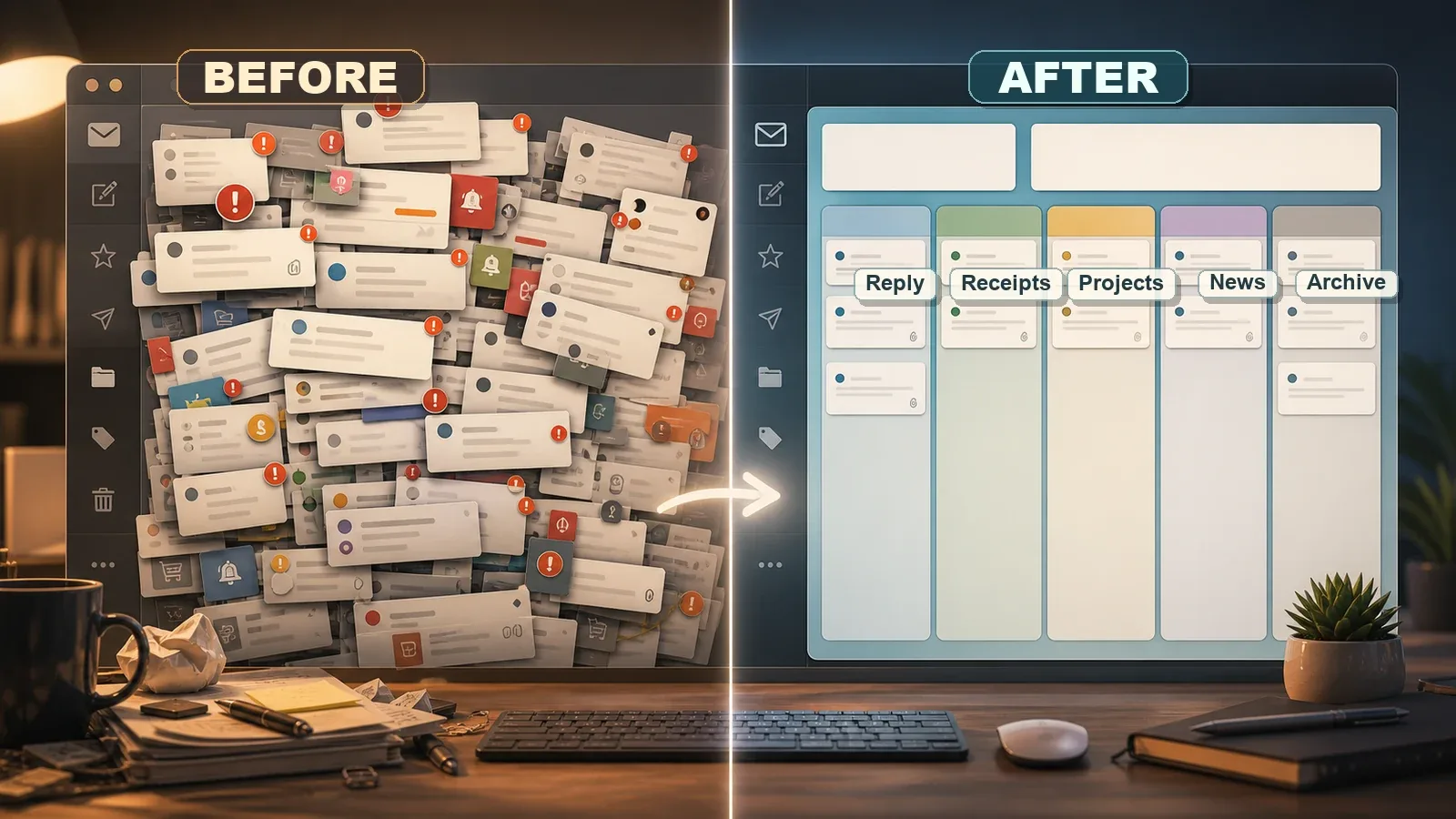
At some point, I realized my digital life had started to look a lot like a storage unit nobody wanted to clean out.
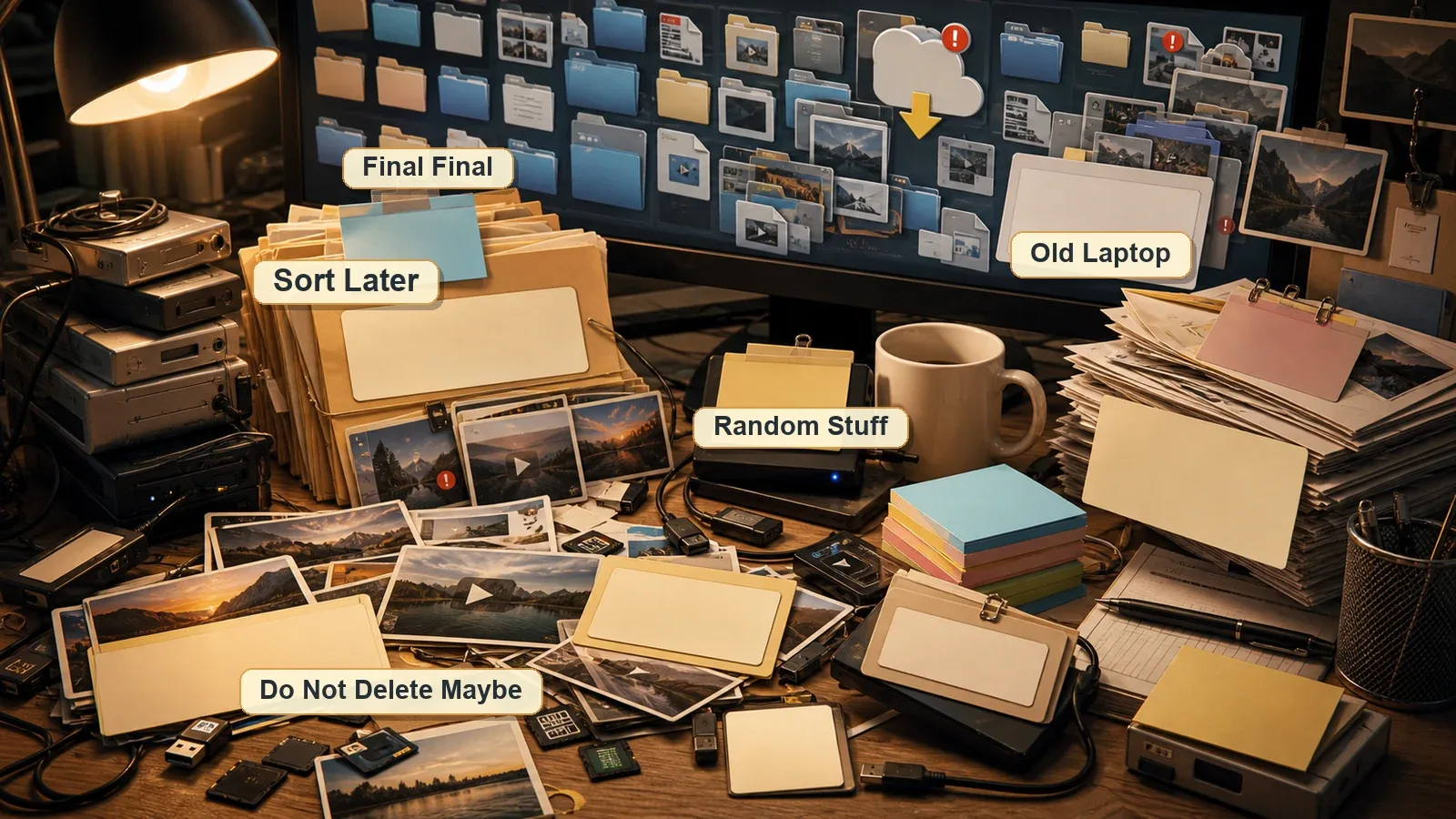
Multiple email accounts. Old computers. Work files. Personal files. Medical documents. Photos. Videos. Drone footage. Code projects. Random downloads. Screenshots. Backups of backups. Folders named New Folder, New Folder 2, and the always terrifying Sort Later.
The problem is not that any one of those things is bad. The problem is that all of them together become noise. Eventually, you are not preserving your life anymore. You are burying it.
Digital clutter does not take up space in the garage, but it absolutely takes up space in your head.
A lesson I am learning the hard way.
What Is Digital Hoarding?
Digital hoarding is the habit of saving almost everything because deleting feels risky, annoying, or emotionally harder than keeping it. It is not always obvious at first because digital stuff does not pile up on the kitchen counter. It hides inside inboxes, hard drives, phones, cloud accounts, memory cards, old laptops, and folders you forgot existed.
It starts innocently. You save a document because you might need it later. You keep a screenshot because it explains something. You download a file twice because you cannot find the first copy. You keep every photo because storage is cheap. You archive every email because searching Gmail feels easier than making a decision.
Then one day you need one important thing, and you cannot find it without digging through fifteen years of digital sediment like an archaeologist with password fatigue.
Why It Happens So Easily
The old world had limits. A filing cabinet could only hold so much. A photo album had pages. A desk drawer eventually jammed shut. Digital storage removed the physical friction, so we stopped making decisions.
- Storage became cheap, so saving felt harmless.
- Search got better, so organizing felt optional.
- Cloud sync made everything available everywhere, but not necessarily understandable.
- Phones turned every moment into a photo or video opportunity.
- Work tools created more files, more messages, more exports, and more versions.
- AI and creative tools now generate even more drafts, images, notes, transcripts, and experiments.
The result is a quiet kind of overload. Nothing looks urgent by itself, but the whole system starts to feel heavy.
The Hidden Cost Is Not Storage. It Is Attention.
Most people think the cost of digital hoarding is running out of space. That is part of it, but it is not the real problem. The real cost is attention.
- You waste time searching for files instead of using them.
- You keep downloading the same documents because the originals are lost in the pile.
- You avoid organizing because the mess feels too big to start.
- You forget old projects even exist.
- You lose emotional connection to photos and videos because there are too many to enjoy.
- You carry a vague background anxiety that your digital life is one bad hard drive away from chaos.
That last one is the part people do not talk about enough. Digital clutter creates mental clutter. Every file you keep without a reason becomes a tiny unresolved decision.
The Four Types of Digital Clutter
Not all digital clutter is the same. Trying to organize everything with one system usually fails because email, documents, media, and projects behave differently. I break it into four buckets.
- Communication: email, texts, Slack, Discord, DMs, newsletters, receipts, alerts, and login messages.
- Documents: taxes, medical records, legal documents, bills, insurance paperwork, PDFs, manuals, notes, and scanned forms.
- Media: photos, videos, drone footage, thumbnails, exports, audio, music projects, screen recordings, and image generations.
- Projects: code repositories, design files, video edits, app prototypes, side projects, old client work, and unfinished ideas.
Each bucket needs different rules. A tax document is not the same as a random screenshot. A family video is not the same as a temporary render export. A GitHub repo is not the same as a downloaded installer from 2018.
What Should You Delete?
Deleting is where most people freeze. The trick is to stop treating every file like it has the same value. Some things deserve protection. Some things deserve an archive. Some things deserve the digital trash can without a retirement ceremony.
The goal is not to become reckless. The goal is to stop pretending every file is sacred.
My Practical Rules for Letting Go
- If I can download it again easily, I probably do not need to store it forever.
- If I forgot it existed for five years, it needs to justify staying.
- If it is a duplicate, keep the best version and delete the rest.
- If it is tied to taxes, legal matters, medical history, insurance, identity, or major purchases, keep it organized and backed up.
- If it is emotional, slow down before deleting. Family photos, videos, voice recordings, and personal memories deserve more care.
- If it is only fear keeping it around, archive it once or delete it.
The Five-Year Question
One question helps cut through the nonsense:
If I completely forgot this existed, would it change my life?
The five-year question
If the honest answer is no, that file is probably not as important as the anxiety attached to it.
A Better Archive System
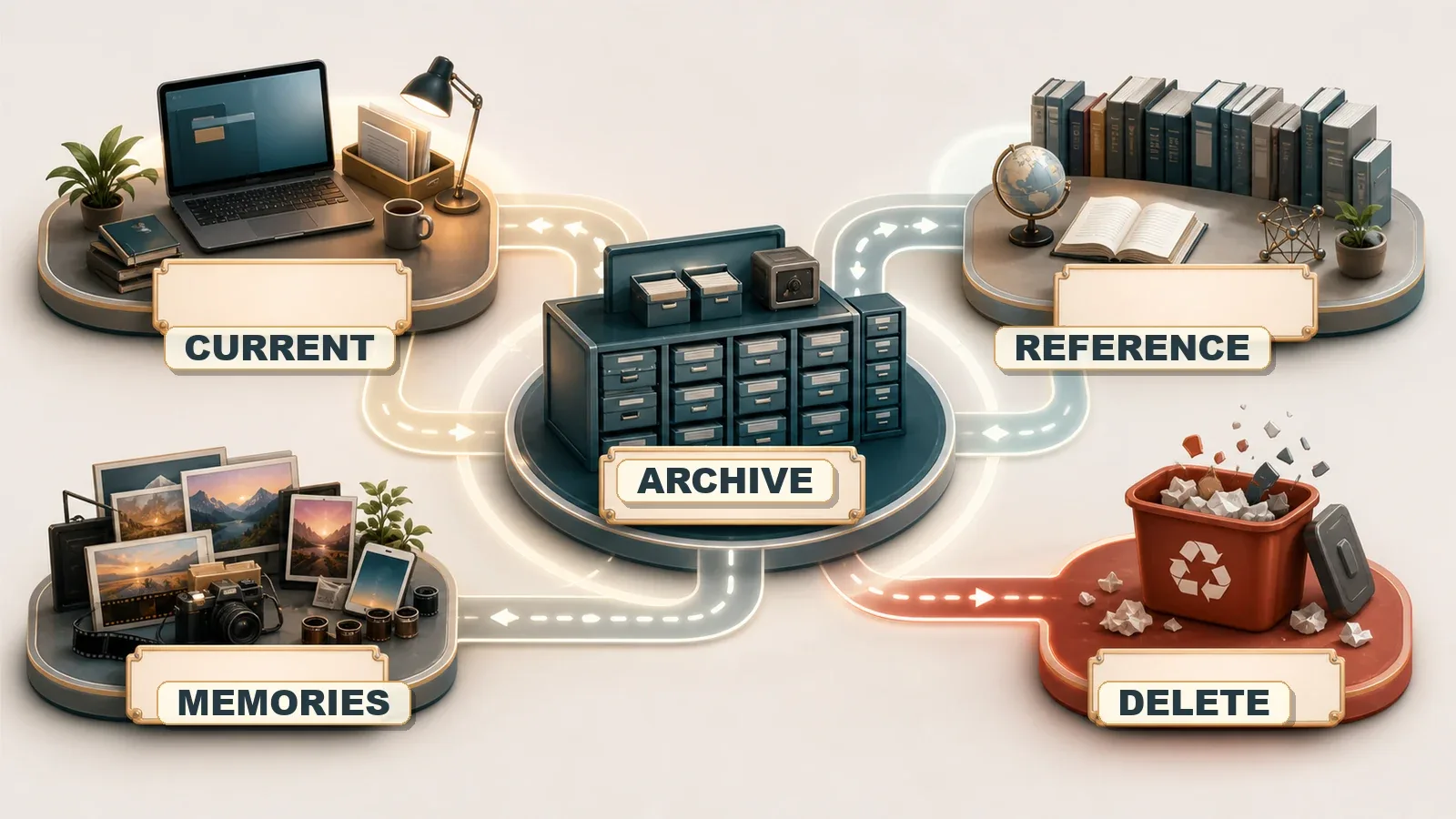
The mistake I have made too many times is keeping everything active. Active files should be the files you are actually using. Everything else needs to move out of the way.
- Current: things I am actively working on right now.
- Archive: things worth keeping but not worth seeing every day.
- Reference: manuals, guides, notes, records, and documents I may need to look up.
- Memories: photos, videos, family items, travel, drones, pets, and personal history.
- Delete: the holding area before final removal.
This sounds simple because it is. That is the point. A system you will actually use beats a perfect folder hierarchy that collapses after two weeks.
Email Is Not a Filing Cabinet
Email is where digital hoarding becomes especially ugly. Inboxes were designed for communication, but most of us use them as a filing cabinet, receipt drawer, task list, login archive, newsletter graveyard, and anxiety machine.
- Unsubscribe from newsletters you never open.
- Create filters for receipts, shipping notices, bills, and automated alerts.
- Archive what you may need later, but stop leaving everything in the inbox.
- Delete promotional email aggressively.
- Save truly important attachments outside email in a real folder system.
- Use a password manager so you do not rely on your inbox as a searchable vault for login details.
- Use search operators instead of scrolling like a raccoon in a dumpster.
Inbox zero is not the goal. Inbox sane is the goal.
Photos and Videos Need Their Own Rules
Photos and videos are harder because they are emotional. A blurry screenshot can go. A video of your family, your pet, a recovery milestone, or a drone flight you cared about deserves more thought.
- Delete obvious junk first: blurry, accidental, duplicate, and meaningless shots.
- Keep the best version instead of ten nearly identical ones.
- Separate raw footage from finished exports.
- Turn off auto-save/auto-download for media in messaging apps like WhatsApp or iMessage.
- Tag important people, pets, places, and projects.
- Create yearly archives instead of one endless camera roll.
- Make a favorites folder for the photos and videos that actually tell the story.
The point of saving media is to remember your life, not to create a mountain of files so large that you never look at any of it.
Old Projects Are Their Own Kind of Trap
As a developer and creative person, projects are where I can get into trouble. Every prototype feels like it might become something. Every old repository might contain a useful pattern. Every half-built idea feels like a future version of me might come back and finish it.
Maybe. But future me also deserves a clean workspace.
- Keep active projects visible.
- Move paused projects into an archive.
- Write a short README before archiving so you know what the project was.
- Delete dependency folders like node_modules before long-term storage.
- Keep source code, design notes, and final assets; delete temporary builds and generated junk.
- Admit when an idea was useful as a lesson, even if it does not need to live forever.
How AI Can Help
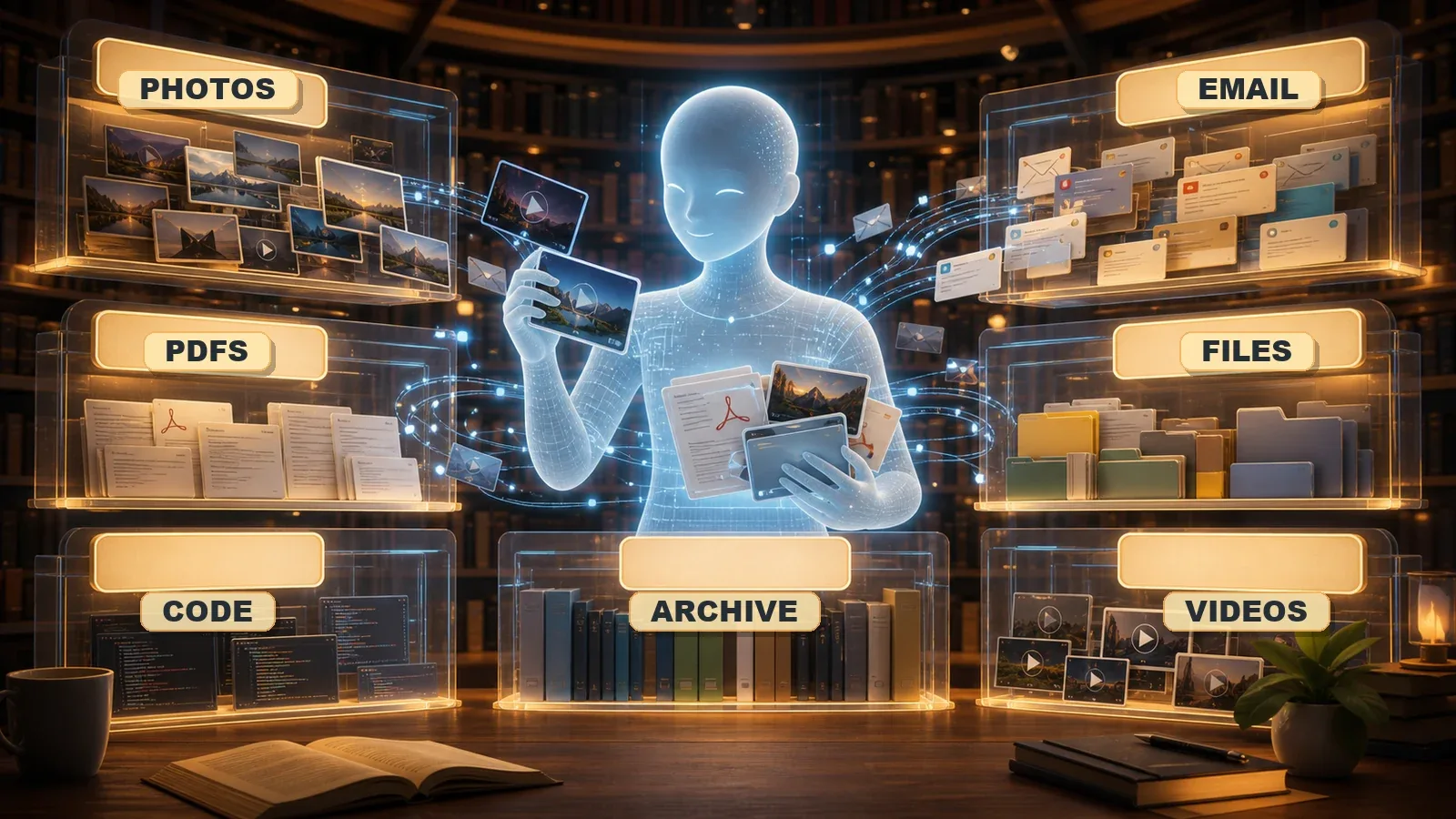
This is where things get interesting. AI is not just another tool that creates more files. Used correctly, it can become the librarian for your digital life.
- OCR: read scanned documents, screenshots, receipts, and PDFs.
- Transcription: turn videos, voice notes, and meetings into searchable text.
- Image recognition: identify people, pets, places, objects, and themes in photos.
- Semantic search: find files by meaning instead of exact filename.
- Auto-tagging: label documents and media based on content.
- Summarization: create short descriptions of long documents or project folders.
- Deduplication assistance: find similar photos, duplicate documents, and repeated downloads.
Instead of trying to remember whether a file was called heart-notes.pdf, medical-final.pdf, or scan-2026-04-22.pdf, the goal is to ask: show me the documents related to my heart surgery.
The Future: Asking Your Digital Life Questions
This is the direction I think personal organization is heading. Not endless folder trees. Not perfect filenames. A personal archive you can question.
- Show me all documents related to my heart surgery.
- Find every FPV video from Jupiter Inlet.
- Show me invoices and receipts from the drone business.
- Find every photo of Gretchen sleeping.
- Which hard drive has the Hades frame files?
- Summarize all unfinished app ideas I worked on last year.
- Show me the best photos from my dad's 80th birthday.
- Find all medical bills I received after April 2026.
That is not science fiction anymore. The pieces already exist: OCR, embeddings, local AI models, vector databases, file indexing, image tagging, and automation. The hard part is not the technology. The hard part is deciding what deserves to be part of the system in the first place.
A Simple Digital Cleanup Plan
If your digital life already feels overwhelming, do not start by trying to fix everything. That is how you quit after twenty minutes and reward yourself with another folder named cleanup later.
- Pick one source: one inbox, one computer, one cloud drive, or one external drive.
- Create four folders: Current, Archive, Reference, Delete.
- Move fast through obvious junk: duplicates, downloads, installers, temp exports, blurry media.
- Protect important records: medical, legal, tax, insurance, identity, financial, and family memory files.
- Write short notes: if a folder is confusing, add a README or plain-text note explaining what it contains.
- Back up before major deletion: especially if you are cleaning old drives.
- Set a recurring cleanup habit: small weekly maintenance beats one giant yearly panic session.
Cloud Sync Is Not the Same as Backup
This one matters. Cloud sync is convenient, but it is not always a true backup strategy. If you delete something locally and that deletion syncs everywhere, congratulations, you just synchronized your mistake.
Important files deserve a real backup plan. For me, that means following the classic 3-2-1 backup rule: three copies of your data, on two different types of media, with one copy stored off-site or in the cloud.
- Keep at least one local working copy.
- Keep one external backup that is not constantly being edited.
- Keep one off-site or cloud backup for critical files.
- Encrypt sensitive archives.
- Test restoration occasionally, because a backup you cannot restore is just digital optimism.
My Personal Rules Going Forward
- The desktop is not storage.
- The Downloads folder is temporary.
- Email is communication, not a permanent archive.
- Projects either ship, pause, archive, or die.
- Photos should tell the story, not bury it.
- Backups need labels, dates, and purpose.
- If AI cannot find it, I probably could not find it either.
- Saving everything is not the same thing as preserving what matters.
Where to Start Today
Do not start with the hardest folder. Start with the most annoying one.
- Clean your Downloads folder.
- Delete obvious duplicate screenshots.
- Delete five apps from your phone that you have not opened in six months.
- Unsubscribe from five newsletters.
- Archive one old project.
- Move important medical, tax, or legal documents into a labeled folder.
- Create a Delete Review folder and move questionable junk there for 30 days.
- Pick one old hard drive and label what it actually contains.
Momentum matters. Digital organization is not one heroic weekend. It is a habit of making small decisions before they become a mountain.
Final Takeaway
We save digital things because we do not want to lose our past, our work, our memories, or the proof that something mattered. That instinct is understandable. I do it too.
But keeping everything does not protect the important things. It hides them.
The goal is not to delete your life. The goal is to stop letting your digital life overwhelm your actual one.
Organization is not about throwing memories away. It is about making sure the important ones are not buried under thousands of files you will never open again.
The point of the cleanup.