Trust & transparency
Evidence & disclosures
Not yet classified. This article has not yet been classified under the current editorial standard. It may predate the policy; do not assume a product was owned, tested, supplied, or independently verified unless the article says so.
Linked references: 6 explicit sources in the article.
I saw “52 grams” and my brain did what it always does when a tiny camera appears: it started looking for a drone to strap it to.
DJI is selling the Osmo Nano as a wearable camera for walks, rides, trips, and hands-free point-of-view clips. That is the normal use. My less-normal question is whether the detachable camera body could become a useful onboard recorder for an FPV drone without making the aircraft feel like it is carrying a brick.
On paper, the answer is interesting enough to test. The camera body is small, light, wide, stabilized, waterproof, and able to record 4K without the heavier Vision Dock attached. The part DJI does not promise is the part I care about most: whether it can be mounted securely, survive FPV vibration, stay cool, and make footage good enough to justify every gram.
I have not handled, purchased, mounted, or flown an Osmo Nano. This is a researched “would I test it?” analysis based on DJI’s current specifications and support pages, not a hands-on camera review.
Colin Michaels
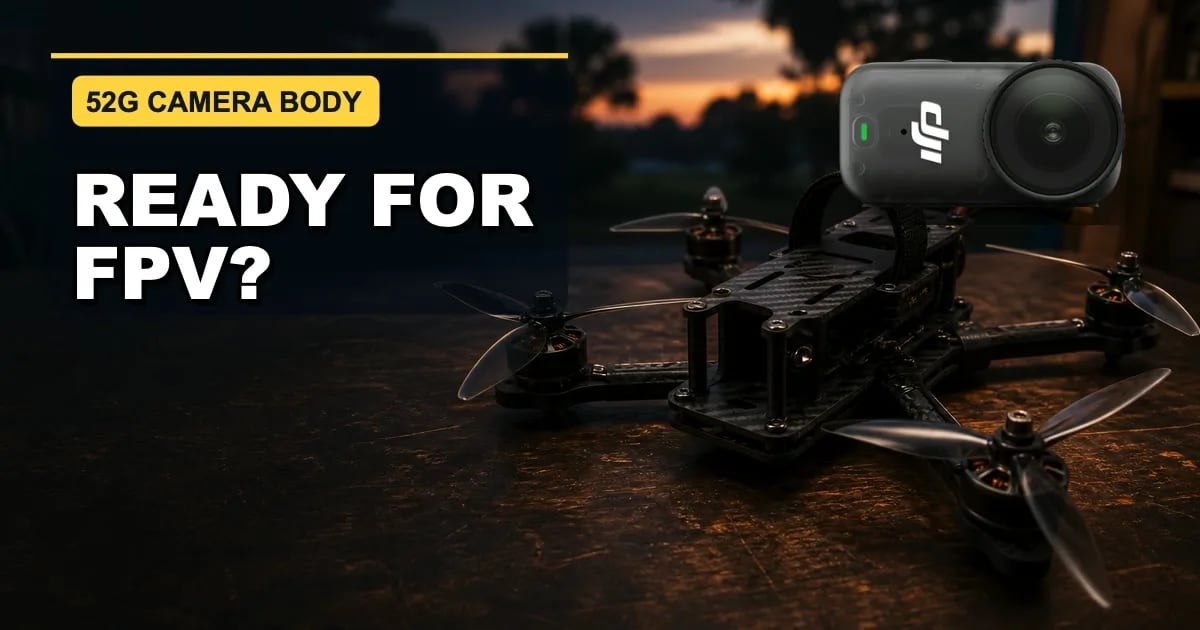
Image note: The lead art is an editorial composite built from official DJI product reference photography and a generated generic FPV workbench. It is not a photograph of Colin’s equipment, a scale comparison, or evidence that this camera-and-mount combination has flown.
TLDR
- The 52-gram camera body is the hook. DJI’s Osmo Action 5 Pro is 146 grams before a mount, so the Nano removes 94 grams from that same-manufacturer comparison.
- This would be an onboard recording camera, not the FPV pilot camera. DJI says Osmo Nano does not support live streaming, and its Vision Dock connection is rated for only 10 meters in unobstructed, interference-free conditions.
- The camera specifications make sense for FPV footage. DJI lists a 1/1.3-inch sensor, 143-degree field of view, 4K/60 recording, 4K/120 slow motion, RockSteady 3.0, HorizonBalancing, 10-bit color, D-Log M, and up to 120 Mbps video.
- The magnetic attachment is not my flight plan. DJI supports an adapter for common action-camera accessories, but it does not advertise a drone mount. I would require a rigid mount plus independent secondary retention.
- My verdict is “promising test candidate,” not “new default.” The final answer depends on all-up mounted weight, jello, motor heat, flight feel, workflow, and whether the footage is meaningfully better than the camera already on the aircraft.
Why 52 Grams Got My Attention
FPV pilots can spend an unreasonable amount of time saving five grams and then bolt a full action camera to the top. Sometimes the footage is worth it. Sometimes the drone flies like it suddenly remembered gravity.
DJI lists the Osmo Nano camera at 57.3 × 29.5 × 28 millimeters and 52 grams. The separate Multifunctional Vision Dock weighs 72 grams. That matters because the camera can record on its own; the part I would consider flying is the 52-gram body, not the 124-gram camera-and-dock combination.
For context, DJI lists the Osmo Action 5 Pro at 146 grams. The Nano camera body is 94 grams lighter, or about 64 percent less weight. That does not tell me how either camera will look in real FPV conditions, but it does explain why the Nano is more tempting to strap to a quad.
There is one giant asterisk: 52 grams is not the flight payload. The real number includes the camera, adapter or printed mount, fasteners, vibration material, lens protection if used, and secondary strap. I would put the finished assembly on a scale before making any claim about what the drone is carrying.
What I Mean by “FPV Camera”
The wording can get confusing because an FPV drone usually has two camera jobs. One camera sends the live view to the pilot’s goggles. A second camera records the nicer footage that gets edited later.
The Osmo Nano belongs only in that second job. DJI says the camera does not support live streaming. The Vision Dock can provide live view and remote control, but DJI rates the wireless camera-to-dock transmission distance at 10 meters under ideal unobstructed conditions. That is not a serious FPV video link, and I would not try to turn it into one.
The drone would still need its normal FPV camera, video transmitter, receiver, and goggles. The Nano would be the passenger whose only job is to bring home a better recording.
Why the Camera Specifications Make Sense for FPV
DJI’s current specification page gives the Nano a 1/1.3-inch CMOS sensor, a fixed-focus f/2.8 lens, and a 143-degree field of view. It records normal 16:9 video up to 4K/60 and 4:3 video up to 4K/50, plus 4K/120 slow motion. DJI also lists 10-bit recording, D-Log M, a maximum 120 Mbps bitrate, RockSteady 3.0, and HorizonBalancing.
That combination is attractive for drone footage for three simple reasons: the view is wide, 4K/60 gives me room for smooth motion, and stabilization can help when the raw airframe is not perfectly calm. Built-in 64GB or 128GB storage also means the camera body can record without carrying the Vision Dock. DJI says the usable capacities are 48GB and 107.6GB. Footage can be exported to a microSD card through the dock later, but it is not recorded directly to that card while flying.
The camera also supports Snapshot and Auto Recording. I would still start and verify recording before takeoff, but those features could reduce the familiar “great flight, zero recording” mistake. Voice control sounds less useful around screaming motors and propellers.
I would test stabilization modes rather than automatically turning everything on. HorizonBalancing can be great for a bike ride, but bank angle is part of the feeling of FPV footage. A perfectly level horizon can make a hard turn look disconnected from what the drone actually did. I would compare stabilization off, RockSteady, and HorizonBalancing on the same route before deciding.
The Mount Is a Bigger Question Than the Sensor
DJI’s dual-sided magnetic system is what makes the Nano easy to wear. That does not automatically make the magnet my idea of a flight-rated mount. FPV introduces sustained vibration, sudden direction changes, prop wash, hard landings, and the occasional disagreement with a tree.
DJI says the separately sold Dual-Direction Quick-Release Foldable Adapter Mount connects the Nano to most action-camera accessories and provides both a 1/4-inch threaded hole and a standard three-prong interface. That gives a builder somewhere sensible to start. DJI does not describe it as an FPV-drone mount, publish a flight-load rating on the product page I checked, or promise that the magnetic connection will survive a crash.
My rule would be simple: the magnetic latch can make installation convenient, but it cannot be the only thing keeping the camera on the drone. I would want a rigid, correctly sized mount and a separate retention path that still holds the camera if the quick release opens. The strap also cannot cover the lens, buttons, vents, or a surface needed for cooling.
Mount position matters almost as much as mount strength. The camera should sit near the aircraft’s center of gravity, clear the propellers in the image, and avoid becoming the first thing to hit the ground. A tall mount may clear the frame but create more leverage and vibration. A low mount may be safer but fill the bottom of the picture with propellers. This is why “small enough to fit” is only the beginning.
Heat, Vibration, and the Other Unanswered Questions
DJI says it is normal for the Osmo Nano to become warm during extended or high-resolution recording. The company recommends airflow, lower resolution or frame rate when appropriate, and turning off the screen. A flying drone provides airflow, which sounds helpful, but I would not assume that solves heat until I checked the camera immediately after a real 4K/60 flight.
DJI rates the camera body for up to 90 minutes under a controlled 1080p/24 test and says Endurance Mode can exceed 50 minutes at 4K/60 under another controlled test. An FPV flight is usually far shorter than either number. Battery capacity is unlikely to be my first concern; heat, reliable start-up, and surviving repeated flights matter more.
Vibration may be the deciding factor. Electronic stabilization can smooth motion, but it cannot always rescue high-frequency jello, a flexible mount, a damaged propeller, or a poorly tuned quad. I would rather fix the mechanical problem than ask software to hide it.
The Seven-Step Test I Would Run
- Weigh the finished assembly. Camera, mount, fasteners, vibration material, guard, and secondary retention all go on the scale together.
- Do a prop-off retention test. Pull, twist, shake, and inspect the attachment. Confirm the strap cannot touch a propeller, slide into the lens, or press a control.
- Record a bench test. Run the camera at the intended resolution long enough to check heat, storage, battery, and whether the mount blocks airflow.
- Start with a short hover. Use a clear permitted area, keep the first flight boring, land early, and check the mount, camera temperature, motor temperature, and footage.
- Fly one repeatable route twice. Use comparable batteries and conditions—once with the final Nano setup and once with the usual camera setup or no added recorder.
- Compare the evidence. Look at flight time, voltage sag, motor heat, handling, jello, stabilization crop, propellers in frame, and how quickly the camera is ready for the next pack.
- Add normal FPV moves gradually. Only after the quiet tests pass would I try faster direction changes, rolls, or the kind of flying that makes the footage worth recording.
My Simple Scorecard
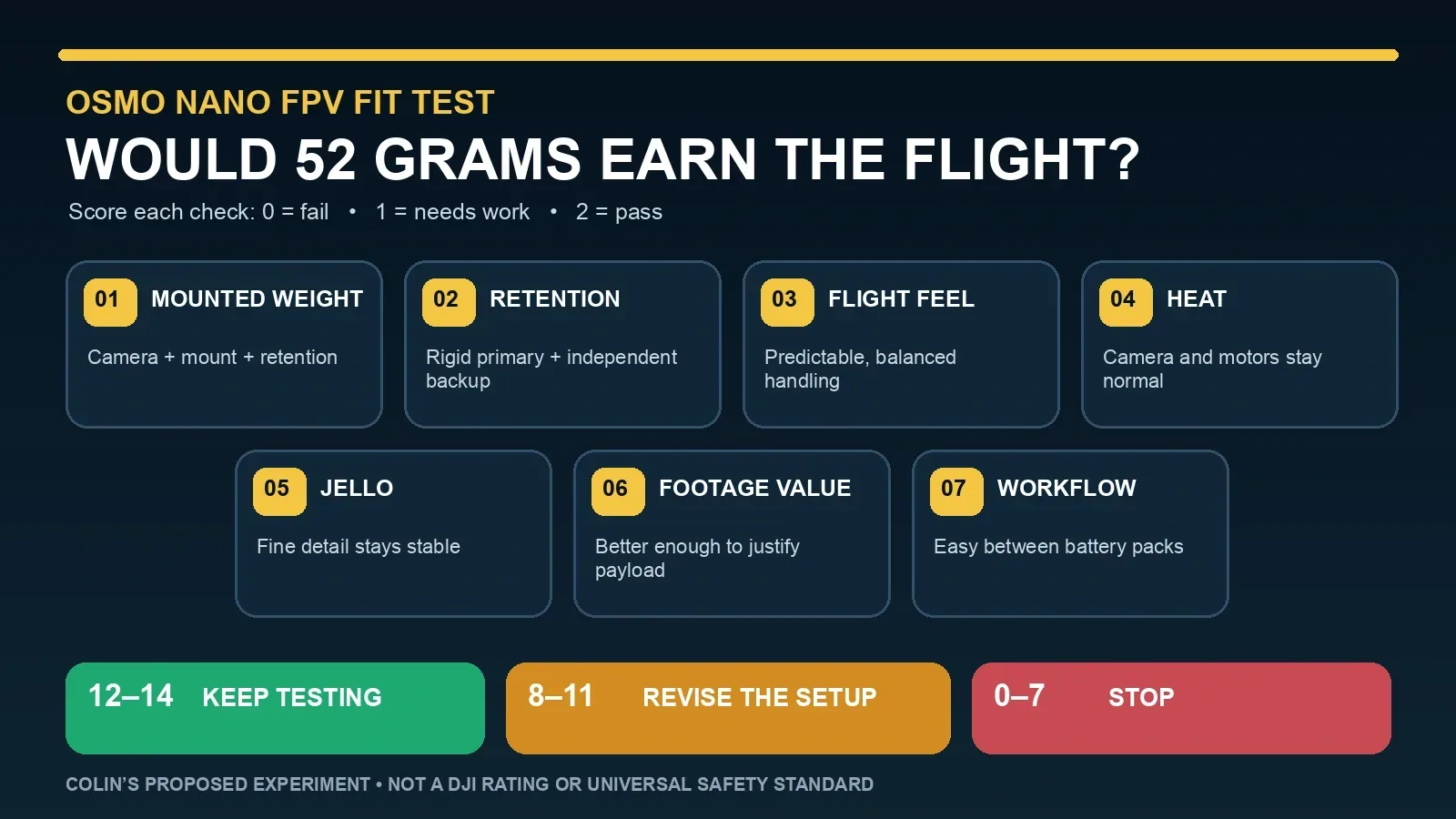
I would score each category from zero to two after the repeatable test: zero means it failed, one means it needs work, and two means it passed without excuses.
- Mounted weight: the complete payload is reasonable for this specific aircraft.
- Retention: the camera has a rigid primary mount and independent backup.
- Flight feel: handling remains predictable and the quad does not feel badly top-heavy.
- Heat: the camera and motors remain within the manufacturer’s or builder’s normal range.
- Jello: fine detail does not wobble or smear when motors change speed.
- Footage value: the Nano clip is enough better than the existing recording to justify the payload.
- Workflow: starting, checking, transferring, charging, and repeating between packs does not become annoying.
A score of 12 to 14 would earn more flights. Eight to 11 would send me back to the mount or settings. Below eight would mean the idea is more interesting than the result. That cutoff is not physics. It is my way of preventing enthusiasm from grading its own homework.
Where I Think It Could Fit—and Where It Probably Would Not
The Nano makes the most sense to me on an aircraft that already has enough thrust and battery margin for a 52-gram camera plus a proper mount. A larger freestyle or cinematic build may barely notice the difference compared with a full action camera. That still has to be proven on the actual quad.
A tiny cinewhoop, lightweight long-range build, or carefully tuned sub-250-gram setup is a different conversation. On those aircraft, 52 grams can be a major percentage of takeoff weight. Adding the Nano may reduce flight time, change handling, raise motor temperatures, or push the finished aircraft across a weight threshold that matters where it is flown. The only honest answer is to weigh the complete aircraft and check the current rules for that flight.
I also would not choose the Nano just because it is the smallest camera on my desk. If the existing onboard recorder already delivers footage I like, saving weight may not repay the cost, new mount, transfer workflow, and another battery to manage.
The Wearable-Camera Backup Plan Matters
There is one reason I find this more attractive than a single-purpose FPV recorder: if the drone experiment fails, the Nano still has a normal job. DJI designed it for magnetic mounting on clothing and accessories, quick hands-free recording, running, cycling, travel, pets, and ordinary point-of-view clips.
That means I could run the same practical test away from the drone: clip it on for a dog walk, bike ride, flea-market trip, or family outing and compare how much footage I capture when the camera is already in position instead of buried in a pocket.
If it works on the drone and gets used on normal outings, the camera has two reasons to stay charged. If it fails the flight test and never leaves the dock, then 52 grams was a very effective way to sell me another object for the shelf.
My Current Verdict
The DJI Osmo Nano is one of the more believable action-camera candidates I have seen for an FPV recording experiment. Fifty-two grams is meaningfully lighter than DJI’s full-size action camera, the 143-degree lens fits the job, 4K/60 is plenty for the kind of footage I want, and the detachable design means the 72-gram dock can stay on the ground.
I am not ready to call it my next FPV camera. DJI’s specifications do not answer mount security, jello, crash survival, real flight handling, motor temperature, or whether its stabilization looks right during aggressive banking. The magnetic system is convenient, but convenience is not retention.
So my answer is: yes, I would put it on the test list—provided I can build a rigid mount with secondary retention and test it on a drone with enough payload margin. I would buy the experiment only if the wearable-camera use also interests me. That makes the downside easier to live with if the FPV footage never quite earns those 52 grams.
Final Thought
Tiny gear has a way of making a complicated idea feel solved before the first screw is tightened. The Osmo Nano gets past the first question because it really is small and light. It does not get a free pass on the rest.
For me, the winning camera will not be the one with the best specification sheet. It will be the one I can secure properly, forget about while flying, and trust to bring home footage worth the extra weight. Fifty-two grams gets the Nano onto the drone bench. The flight test decides whether it stays there.
Sources
- DJI Osmo Nano product page — manufacturer feature overview; accessed August 22, 2026.
- DJI Osmo Nano specifications — dimensions, weight, sensor, lens, recording modes, stabilization, storage, battery tests, wireless range, and operating temperature; accessed August 22, 2026.
- DJI Osmo Nano FAQ — live-streaming, Snapshot, Auto Recording, accessory compatibility, storage, battery, heat, waterproofing, and control details; accessed August 22, 2026.
- DJI Dual-Direction Quick-Release Foldable Adapter Mount — official compatibility, 1/4-inch thread, and action-camera accessory interface; accessed August 22, 2026.
- DJI Osmo Action 5 Pro specifications — official 146-gram comparison weight; accessed August 22, 2026.
- DJI Osmo Nano downloads — official current manual, release notes, safety guide, and accessory compatibility resources; accessed August 22, 2026.