Trust & transparency
Evidence & disclosures
Evidence basis: Researched analysis. The article compares public evidence and does not claim hands-on testing unless a section says otherwise.
Based on current manufacturer documentation, selected user accounts, MIT reporting, and John Mohler’s published firsthand review. Colin has not tested the hardware. Wider-use scenarios are editorial possibilities.
Sources checked: Oct 12, 2026
Linked references: 7 explicit sources in the article.
Relationship disclosure: Prepared from public sources, with direct non-affiliate links and credited manufacturer press imagery. No sponsorship or compensation information was supplied for this draft.
AI assistance: AI assisted with research, drafting, editing, and package preparation. Prepared for Colin’s editorial review.
Synthetic media: No AI-generated hardware or people. Official manufacturer imagery, a deterministic editorial title card, and an original explanatory diagram. Manufacturer imagery is illustrative and may differ from delivered hardware.
Latest substantive update: Repaired portable media references and list shapes; restored missing role images; added official product and workflow visuals plus a diagram. Sources rechecked October 12, 2026.
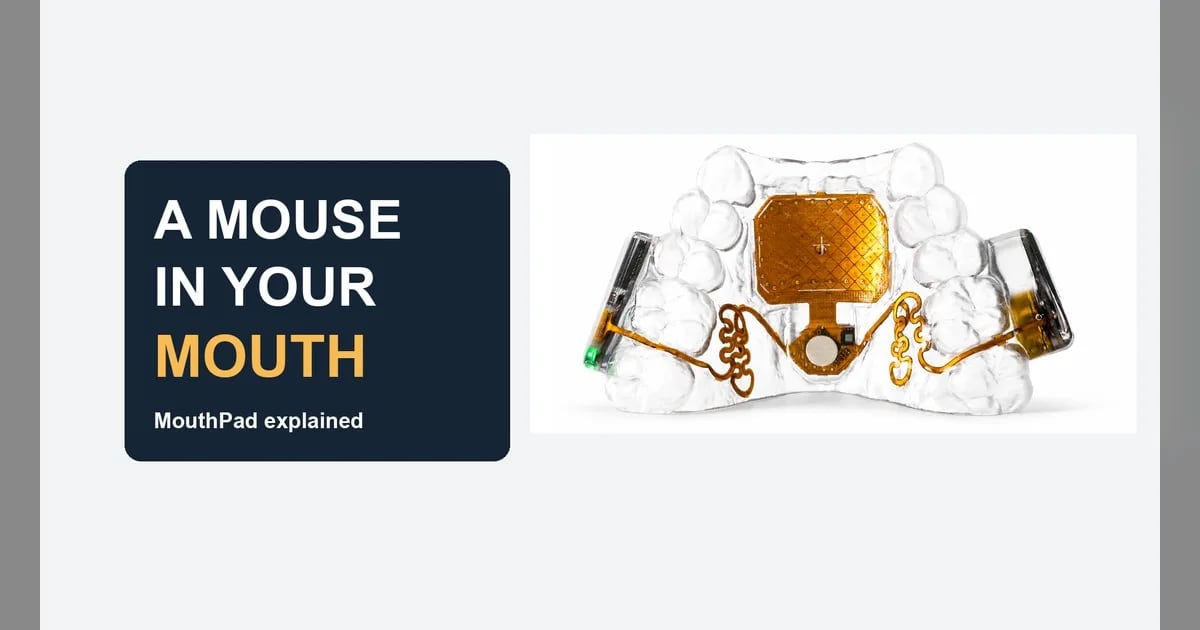
Augmental has put a computer mouse inside a dental-retainer-style mouthpiece. The strange part gets your attention. The ability to choose what happens on your own screen is what makes it matter.
Most of us reach for a screen or a mouse without giving the movement much thought. But look at how much sits behind that movement: a conversation, a job, a game, a photograph, the next page of a book. If using your hands is difficult or impossible, the input method can become the obstacle between you and something you already know how to do.
I have not used MouthPad myself. I researched Augmental’s current documentation, user accounts, and a published firsthand review to understand both the promise and the friction. What interests me is the immediate usefulness for people with disabilities—and the bigger question of how many ways a computer should be able to listen to us.
The quick read
- MouthPad turns tongue and head movements into computer input through a custom mouthpiece.
- Its strongest promise is practical autonomy: more choice over when and how to use your own devices.
- The broader possibility is another input alongside hands, voice, and eyes. Whether that helps depends on the task and the person.
- Fit, cost, learning, and software support matter. This is a researched discovery, not my hands-on recommendation.
What is actually in your mouth?
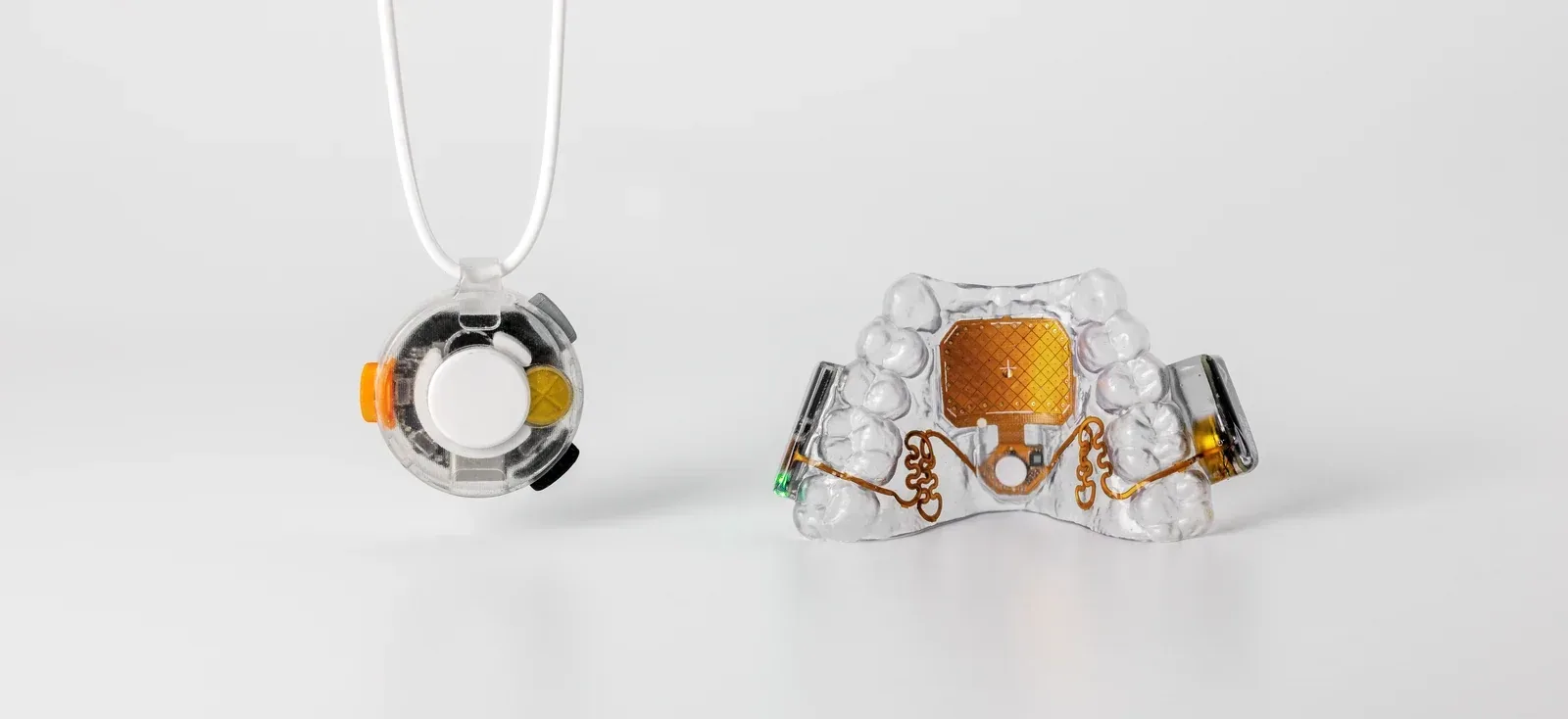
In Augmental’s July 2026 launch announcement, Augmental describes a custom retainer with a palate-mounted touchpad and motion sensing. It connects over Bluetooth to phones, tablets, and computers. The company says its second generation adds configurable keyboard shortcuts and game controls, including a WASD mapping. Think of it as another route into familiar software, with controls that can be adapted to the task.
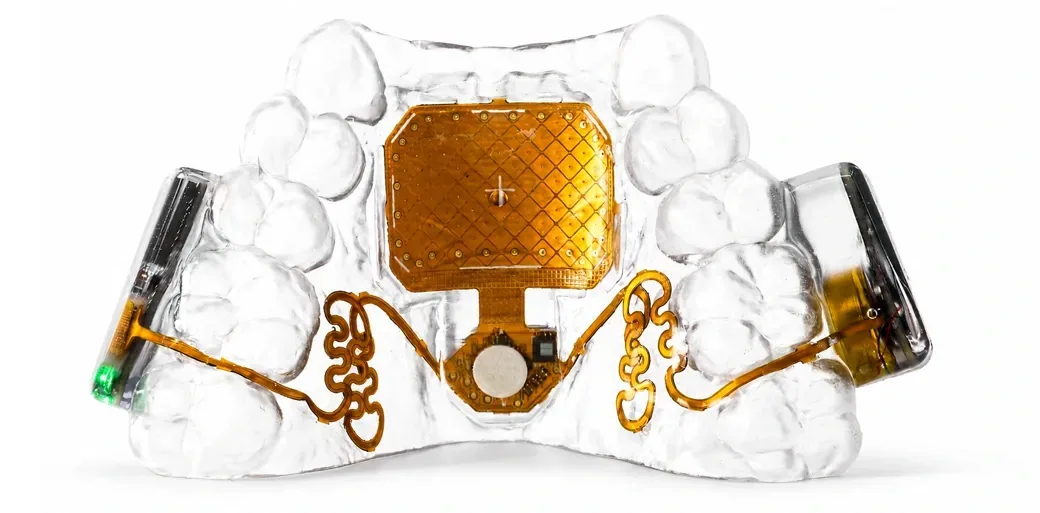
Augmental’s technical report explains two cursor modes: tongue position can steer a virtual joystick, or head movements can move the pointer. A tongue press and a sip provide click actions. Head movement is therefore one option, not the only route to moving the cursor. The right configuration depends on what the user can comfortably and reliably do.
That is the engineering detail I find interesting. A new input device has to get all the way from a deliberate human action to the right response on screen. Moving the cursor is the beginning; selecting, dragging, correcting a mistake, and recovering when something goes wrong are the parts that make it useful.
The benefit is the ordinary thing you get to do yourself
On Augmental’s user stories, Esther describes taking photos and videos independently. Josh describes playing games with family and turning the pages of digital books with his daughter. These are company-published testimonials, so they are selected accounts rather than evidence of a universal outcome. But they explain the stakes far better than a futuristic product slogan.
Taking a photo includes choosing the exact moment. Turning a page includes deciding when you are ready. Those small decisions are part of being the person doing something, rather than having to direct every step through someone else.
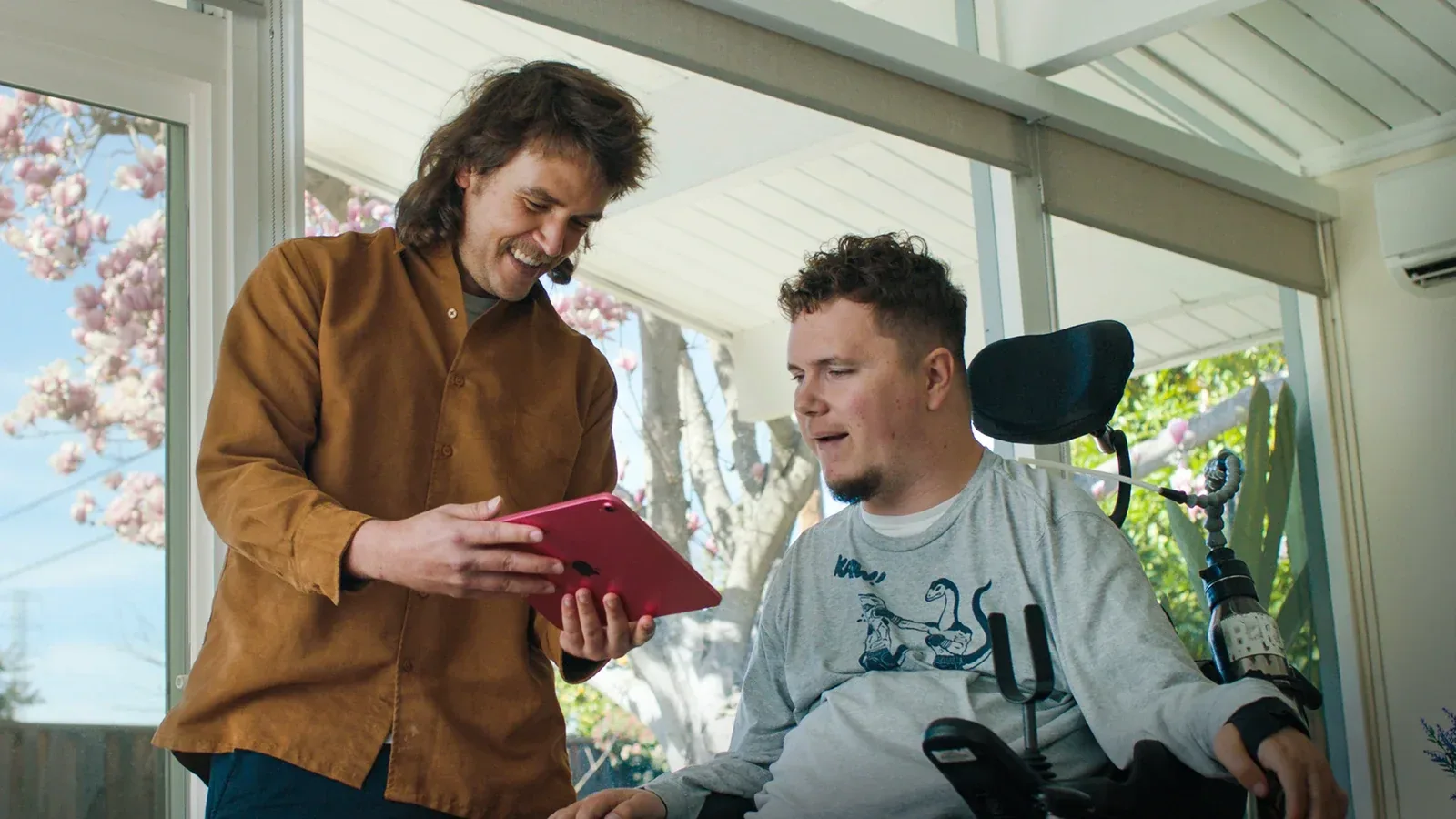
MIT News reporting on MouthPad reported in 2024 on a college student using MouthPad for math work and studying in a library, where speech-based input did not suit the task. That is a specific example of why another input option can matter: the setting can make an otherwise useful method inconvenient.
And this benefit stands on its own. Accessible technology does not need to become a mass-market gadget to justify its existence. Helping someone study, make art, play with their family, or get through their work with less friction is already a meaningful result.

A useful review includes the awkward first weeks
In his 2026 New Mobility review, John Mohler describes improved cursor control and a setup that could move with him between working positions. He also reports practice, sensitivity adjustments, dropped Bluetooth connections, and commands that sometimes lagged or stuck. Support and experience helped him resolve those early problems. His account makes the benefit more credible because it includes the work required to get there.
That is the sort of evidence I want from an interface. A short demonstration can show that an action is possible. Daily use asks whether it stays comfortable, whether errors are easy to undo, and whether the person still wants to use it after the novelty has worn off. One person’s good experience gives us useful questions to ask; it cannot answer them for everybody.
Human augmentation can start with one extra useful action
As an applications developer, the part that catches me is how quickly software can turn a preferred input method into a requirement. We design an action around a mouse, then quietly assume that everyone has a free hand ready to move it. A device like this makes that assumption much harder to ignore.
The broader idea is appealing: give people more ways to express an intention. That might mean replacing a difficult movement, combining several comfortable ones, or adding one control while both hands are busy. More available controls do not automatically make someone faster. They create options worth testing.
Here is where my imagination goes. A musician might want to advance a score without leaving the instrument. Someone working at a bench might want to step through instructions while holding a part. A person using a connected-home dashboard might want a comfortable way to select a light or open a door-camera view. These are possible workflows I would want to investigate, not integrations I have verified for MouthPad.
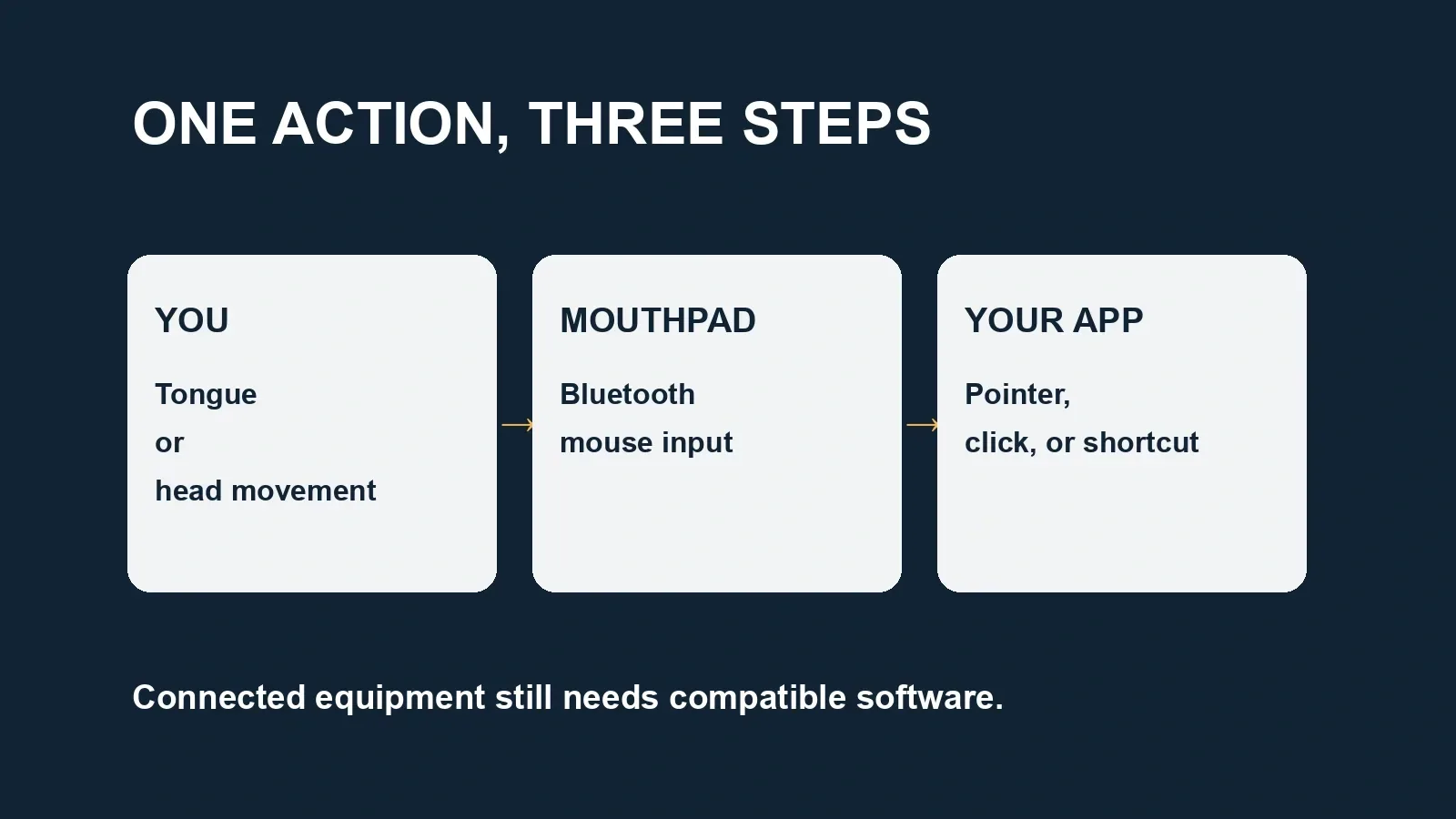
The connection to the physical world would still run through software and compatible equipment. A cursor cannot operate a lamp on its own. It can select a control in an application that already knows how to operate that lamp. That distinction matters when a conversation moves from controlling a computer to interacting with a home, a robot, or machinery.
Augmental’s current product notice says MouthPad and VOX are not medical devices and are not intended to control medical devices. I would not read a demonstration or an ambitious future roadmap as confirmation of wheelchair control or other safety-critical uses.
VOX adds another piece—and a useful reality check
Augmental also has VOX, a skin-contact microphone intended for low-volume dictation. Its current FAQ explicitly says it is not silent speech: you still speak, and somebody nearby may hear you. The beta is intended for dictation rather than calls or continuous conversation. That makes the near-term idea understandable: one device handles pointing, another helps with text input.
In the launch announcement, fully silent speech is a development goal involving voice signals and tongue-movement patterns. I find the possibility fascinating. It needs to stay in the future-tense column until there is evidence of a usable, available system.
There is another distinction worth keeping: speaking more quietly is different from keeping data local. Augmental’s privacy explanation says the connected app or service still determines what happens to audio and text. For a future interface, control should include deciding when it listens, what it sends, and how to stop it.
The practical questions are part of the invention
On October 12, 2026, Augmental lists MouthPad at $1,400, with a separately arranged dental scan usually costing $50–$150. The company estimates six months to ship and currently sells within the United States. Check the current terms and ask about fit and support before committing to a custom order. This is a dated price and delivery snapshot.
The same FAQ describes eligibility around tongue control, oral health, and fitting requirements. It also says to remove the device for eating and sleeping. Personal fit and ongoing care deserve as much attention as a specification sheet.
For someone exploring this kind of input, I would start with a few everyday questions:
- Which specific task is difficult today, and what would a better result look like?
- Can the chosen movements remain comfortable through that task?
- How will fitting, insertion, removal, charging, and cleaning work in the person’s actual routine?
- Does the required control work with their exact device, app, and assistive setup?
- What support and fallback input are available when a connection drops or the device needs charging?
Try this before asking for a demo
Choose one everyday task: turning a page, editing a paragraph, selecting a photo, or moving between apps. Write down the exact device and app you use, the movement that causes difficulty, and how you currently finish the task. Ask the supplier to demonstrate that same sequence—including correcting a wrong click and reconnecting after a drop. A demo of your task is more useful than somebody else’s fastest score.
Check the routine as well as the controls. The manufacturer’s FAQ covers eligibility, cleaning, charging, and when to remove the mouthpiece. Ask how those steps fit your day and what assistance, if any, they require. Confirm companion-app support for your exact operating system; basic Bluetooth mouse pairing and configuration-app availability are different questions.
Even performance numbers need that context. Augmental’s July technical report includes results from 44 participants with hand impairments using head control with tongue gestures. Their task was selecting targets in a grid. That can tell us something about pointing; it cannot tell us how comfortable a particular person will be editing a document for an afternoon. I would care more about the tasks someone can finish comfortably than the fastest score on a leaderboard.
Final Thought
MouthPad is worth paying attention to because it makes a very concrete proposal: let a person use a movement available to them to reach the software they want. For some people that could mean more independence. For others it might become an additional control that earns its place in a particular workflow.
The version of human augmentation I want gives people more choice over how they act—and leaves them in charge of the result. A small, reliable action can be a very big expansion of someone’s world.
I am curious about where this goes, but the everyday test comes first. Does it help someone do the thing they wanted to do, at the time they wanted to do it, with less friction? That is a future worth building toward.
If you could add one reliable hands-free control to your computer, which everyday task would you give it first?